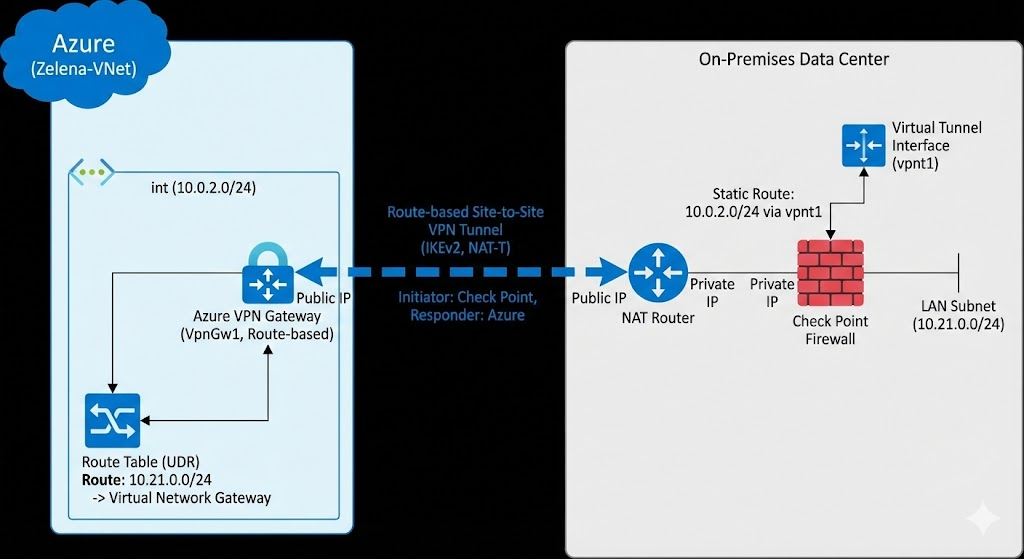
Azure VPN with Check Point
Azure Site-to-Site VPN provides a secure, encrypted bridge between a Virtual Network and on-premises infrastructure using the IPsec protocol suite. In this architecture, a Virtual Network Gateway (Route-based) serves as the cloud-side termination point, enabling private communication over the public internet.
Virtual Network
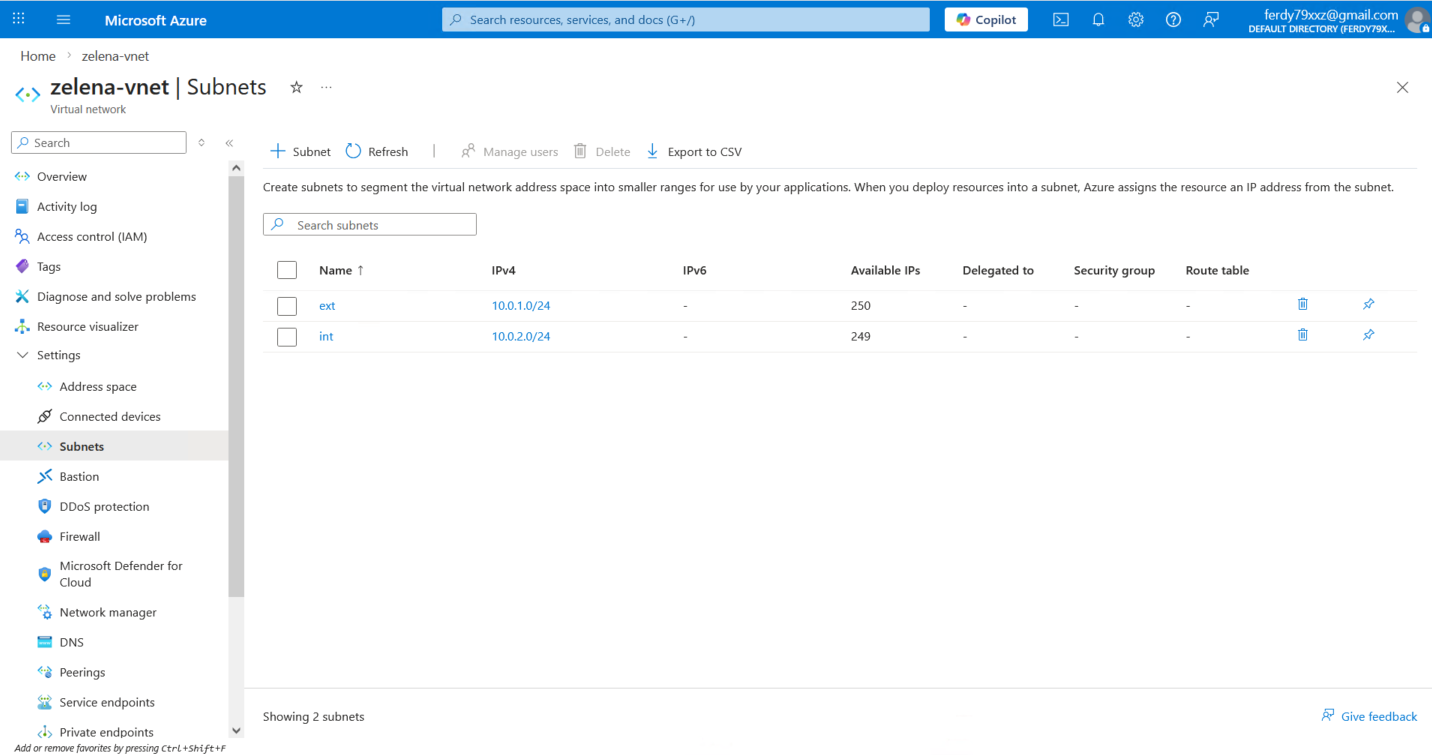
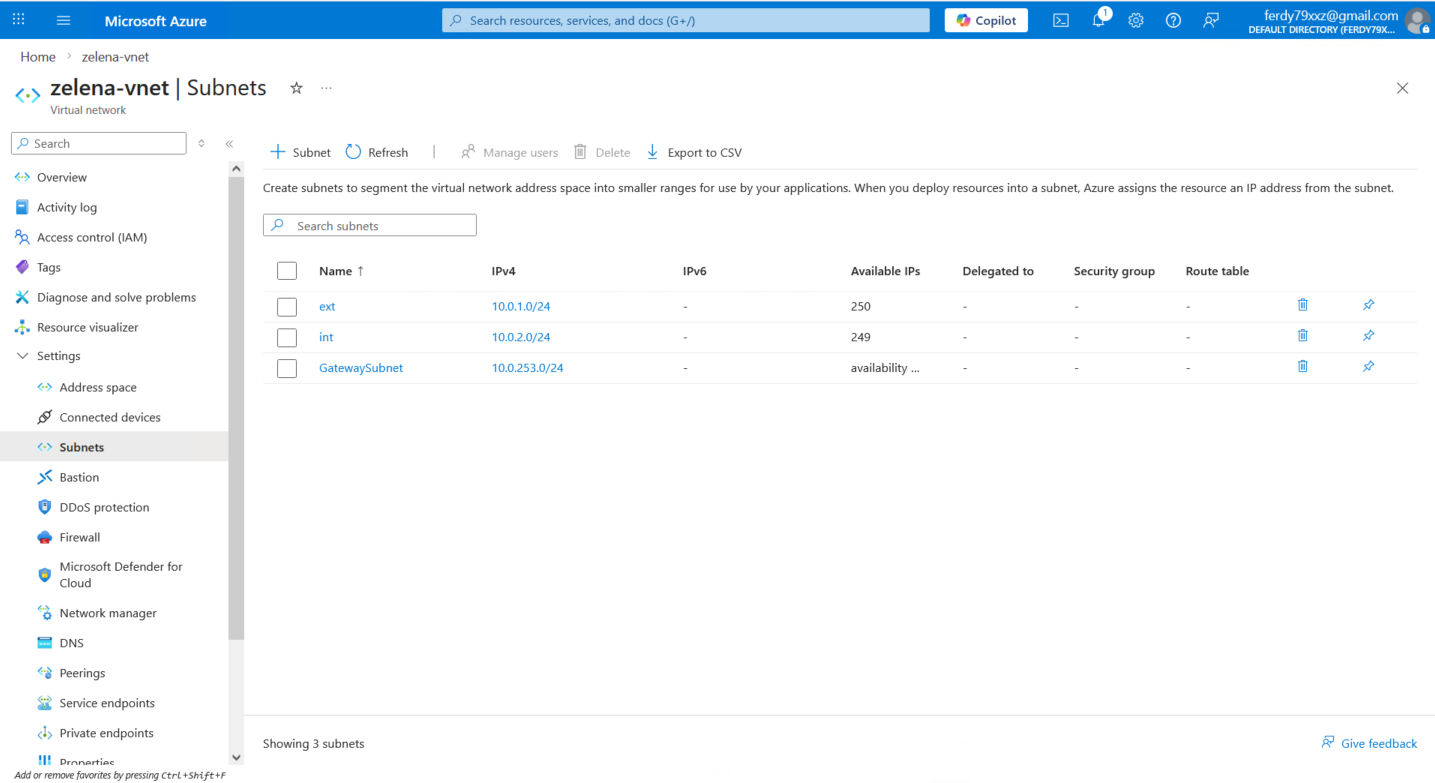
Here we already have zelena-vnet with ext and int subnets, we mainly will only use the int subnet (10.0.2.0/24) for this tunnel.
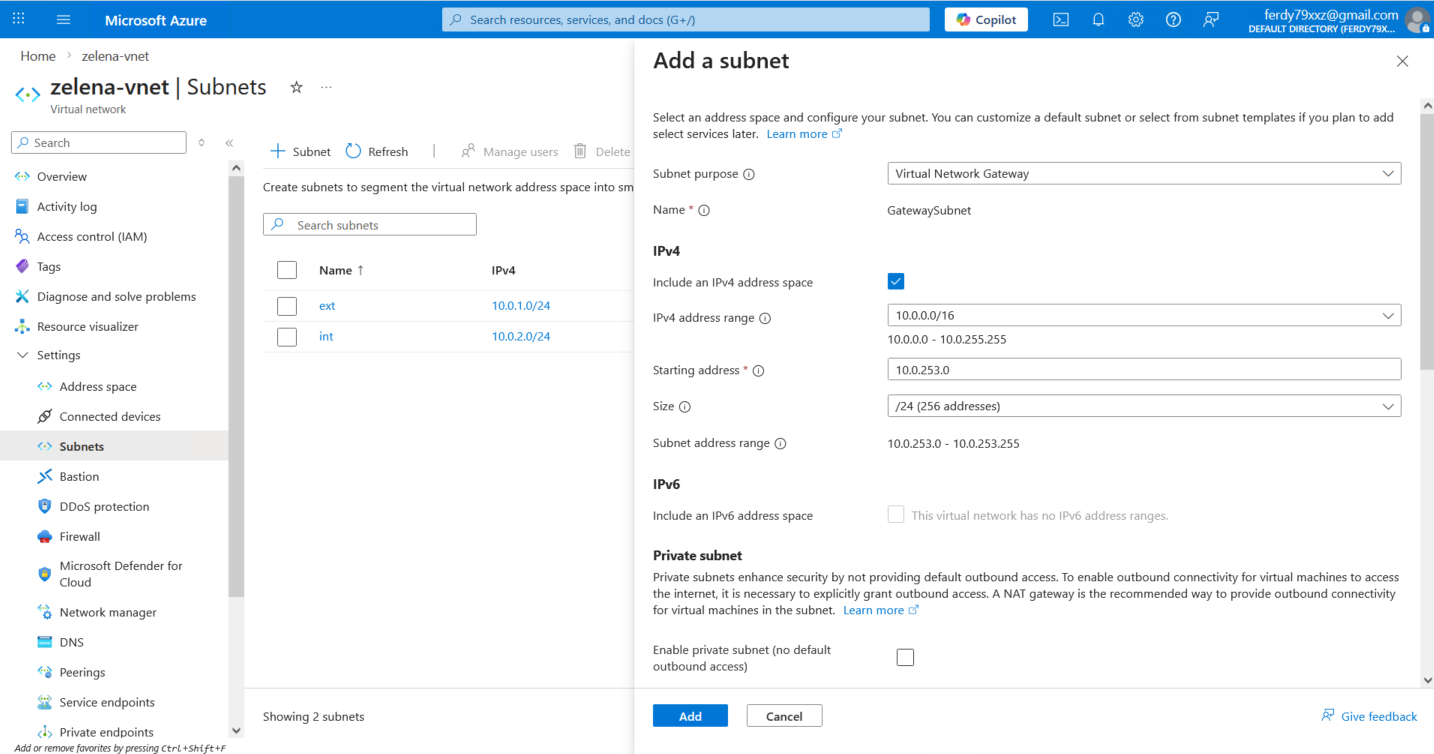
Azure requires us to create a dedicated subnet for Virtual Network Gateway, so here we create one on 10.0.253.0/24
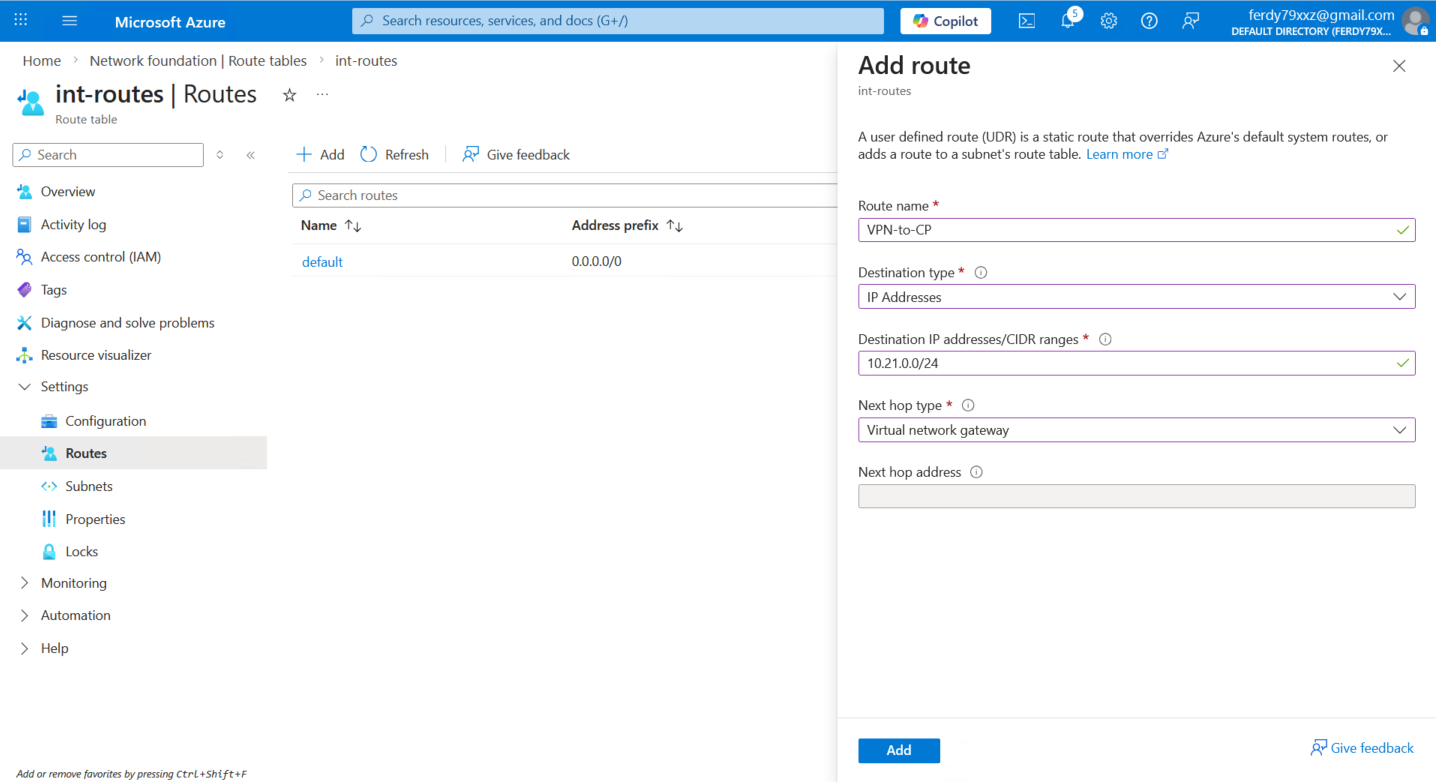
While we’re here, let’s also add a static route to steer traffic going to 10.21.0.0/24 to our Virtual Network Gateway (that we will create after this)
Virtual Network Gateway
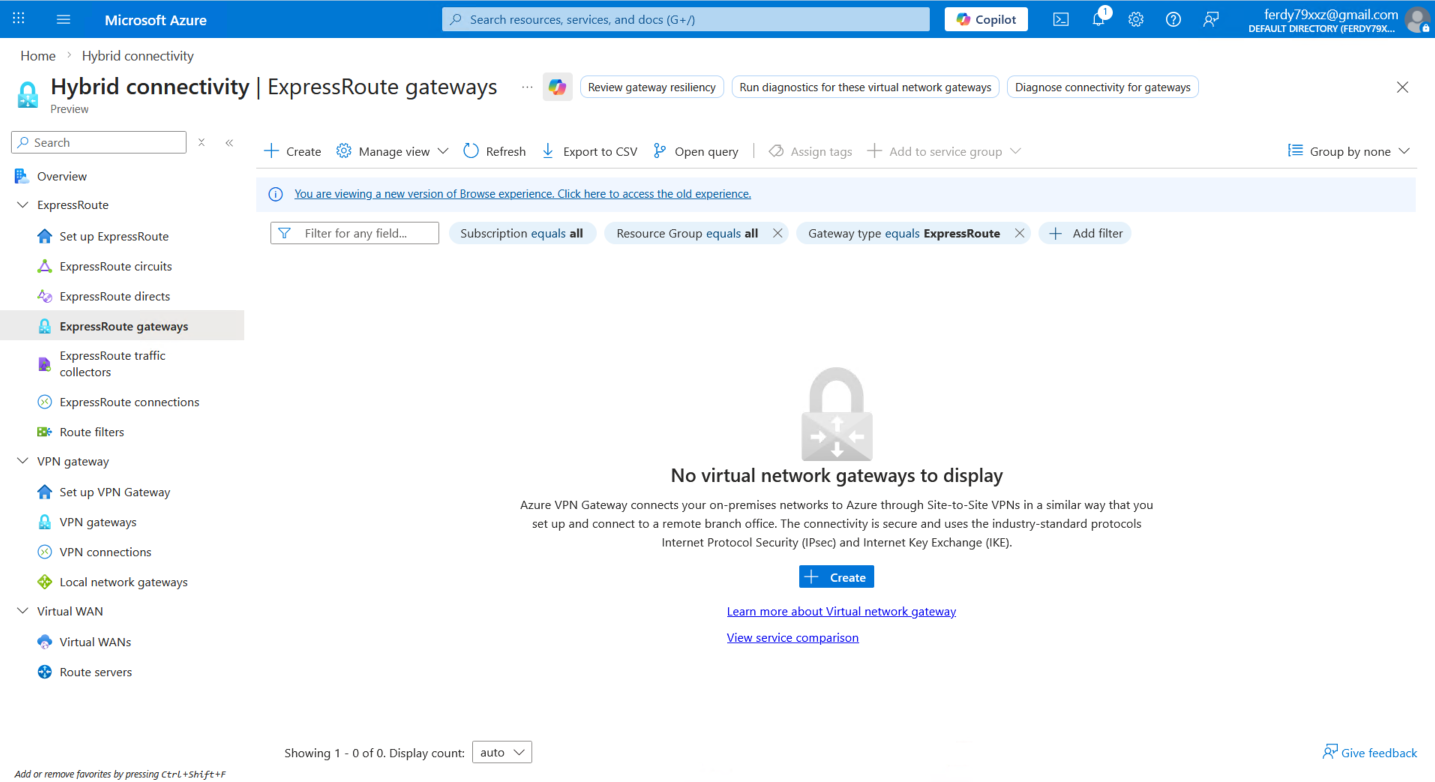
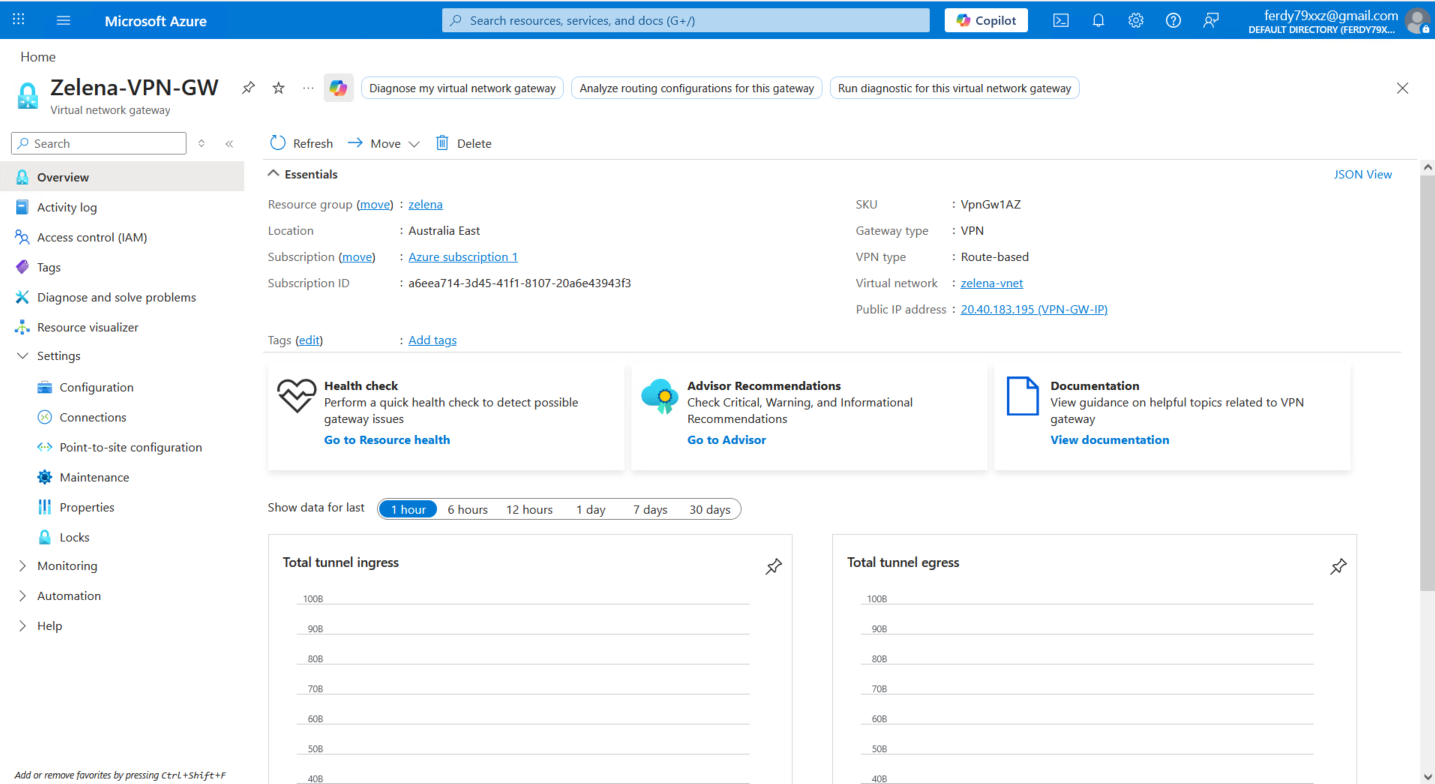
Next we will create the Virtual Network Gateway, it is a managed network service that acts as a secure bridge or “doorway” between our vNet and other networks.
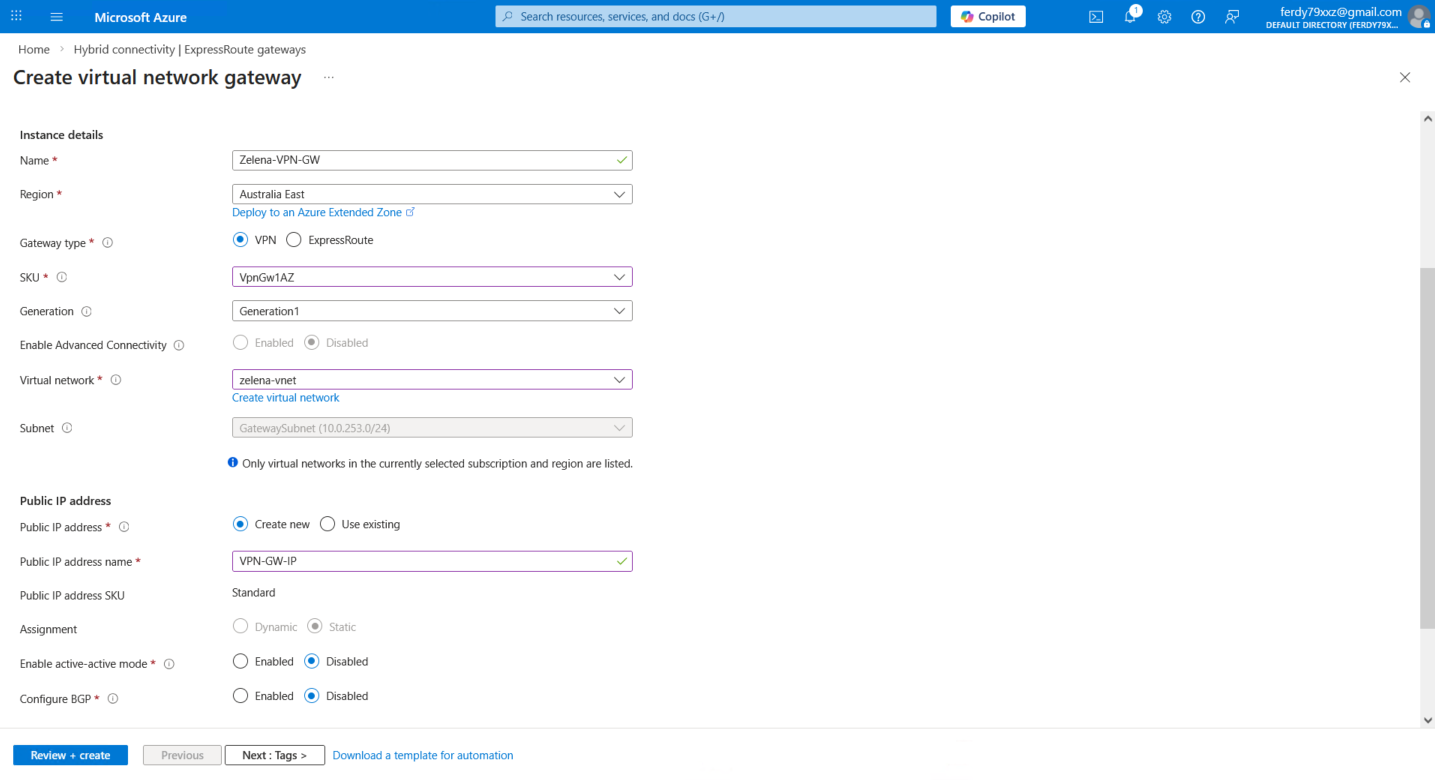
Here we name it Zelena-VPN-GW and assign the GatewaySubnet that we created earlier and provide new Public IP Address, we also disable active-active and BGP for simplicity
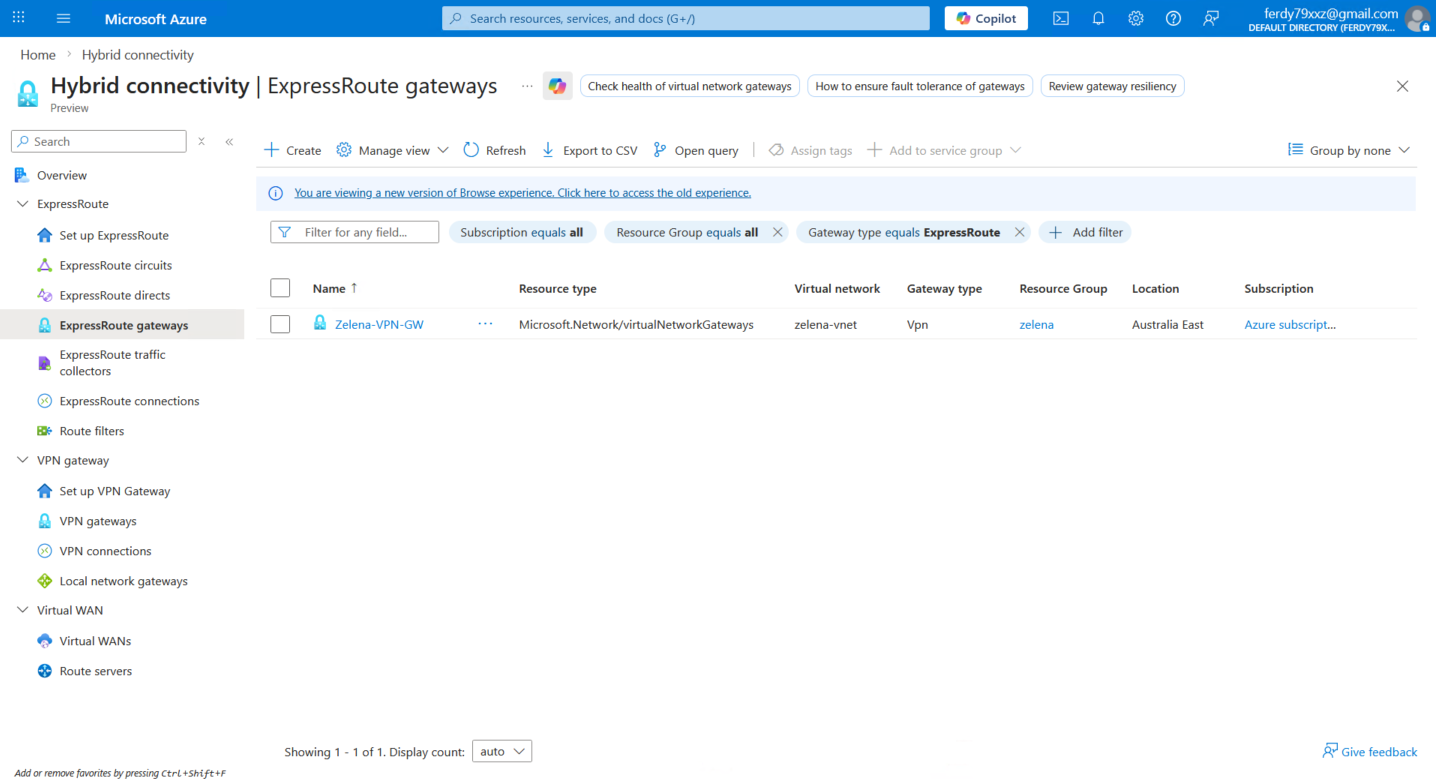
Local Network Gateway
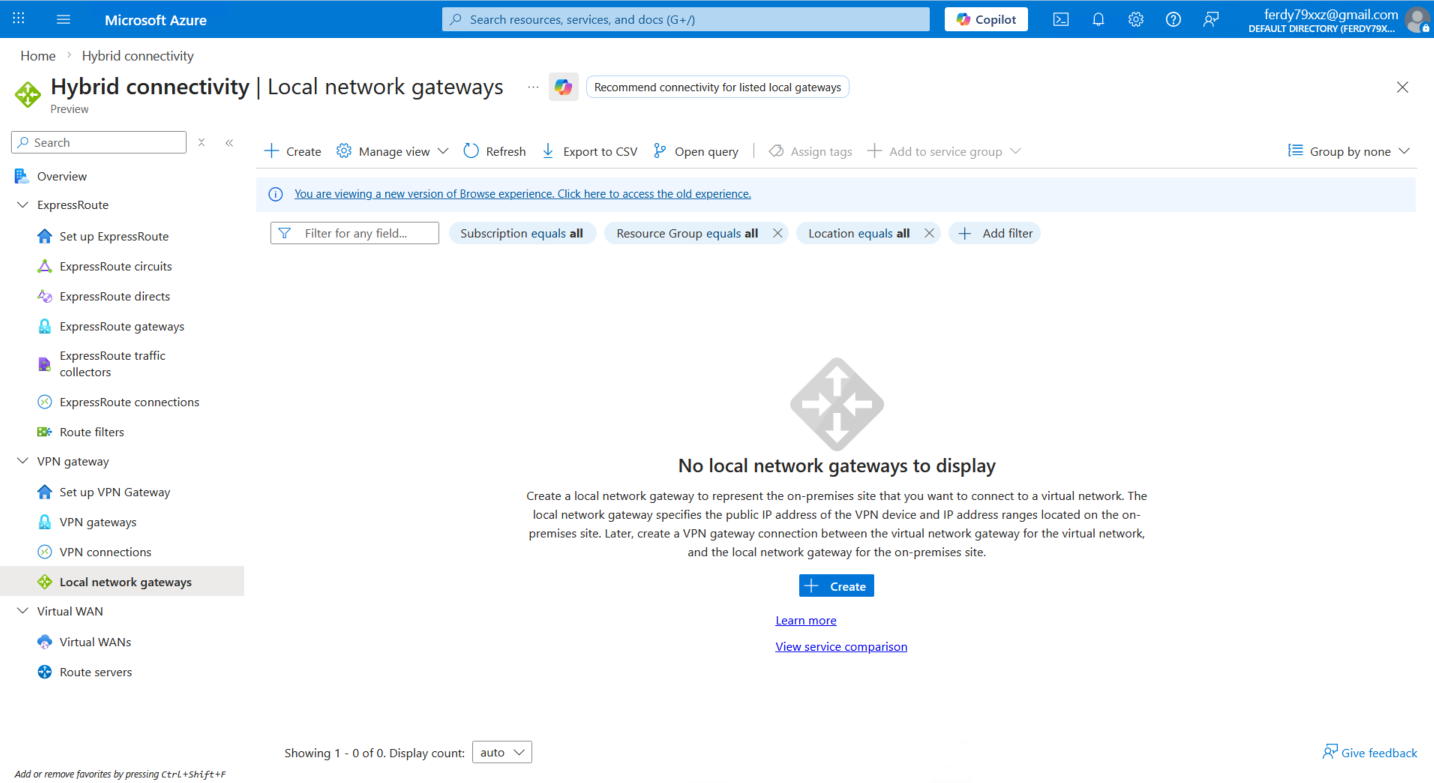
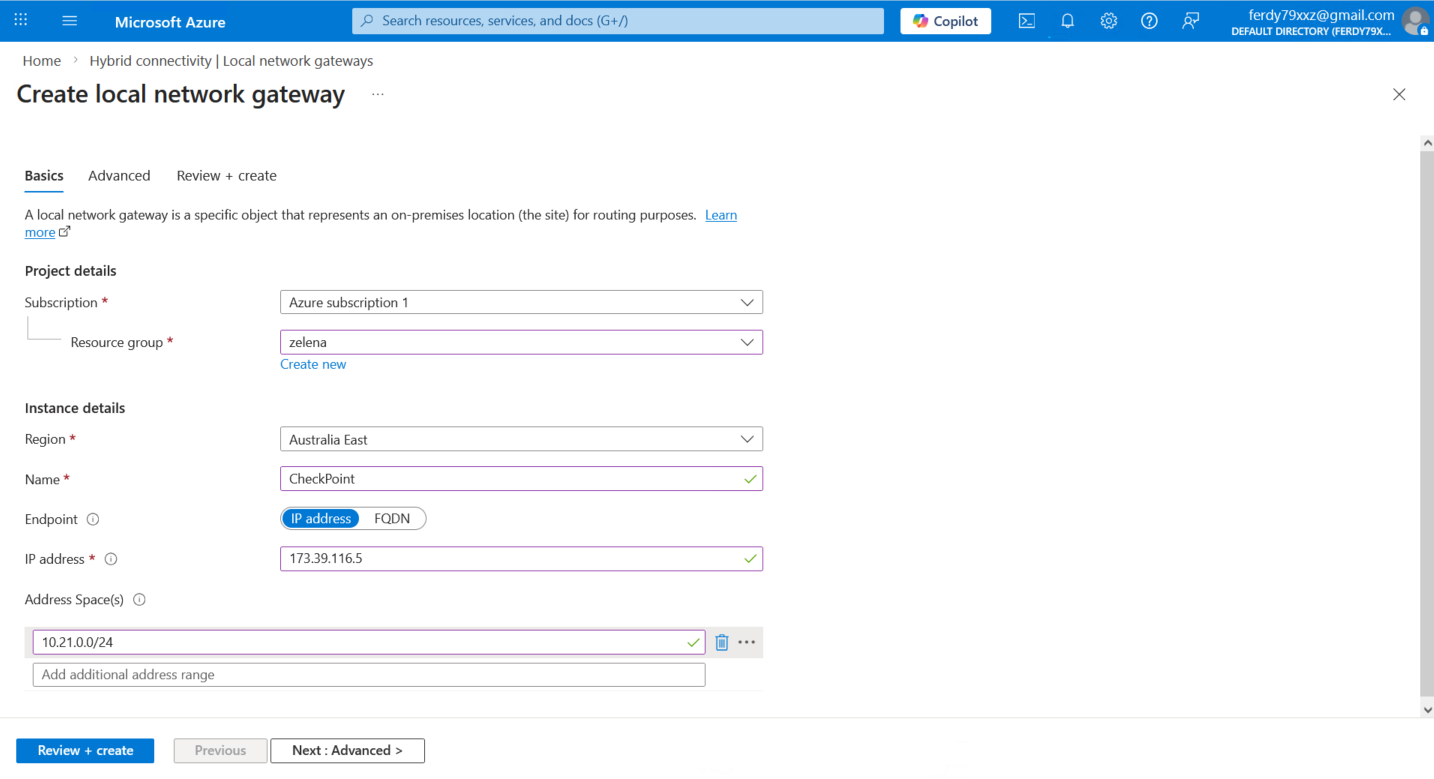
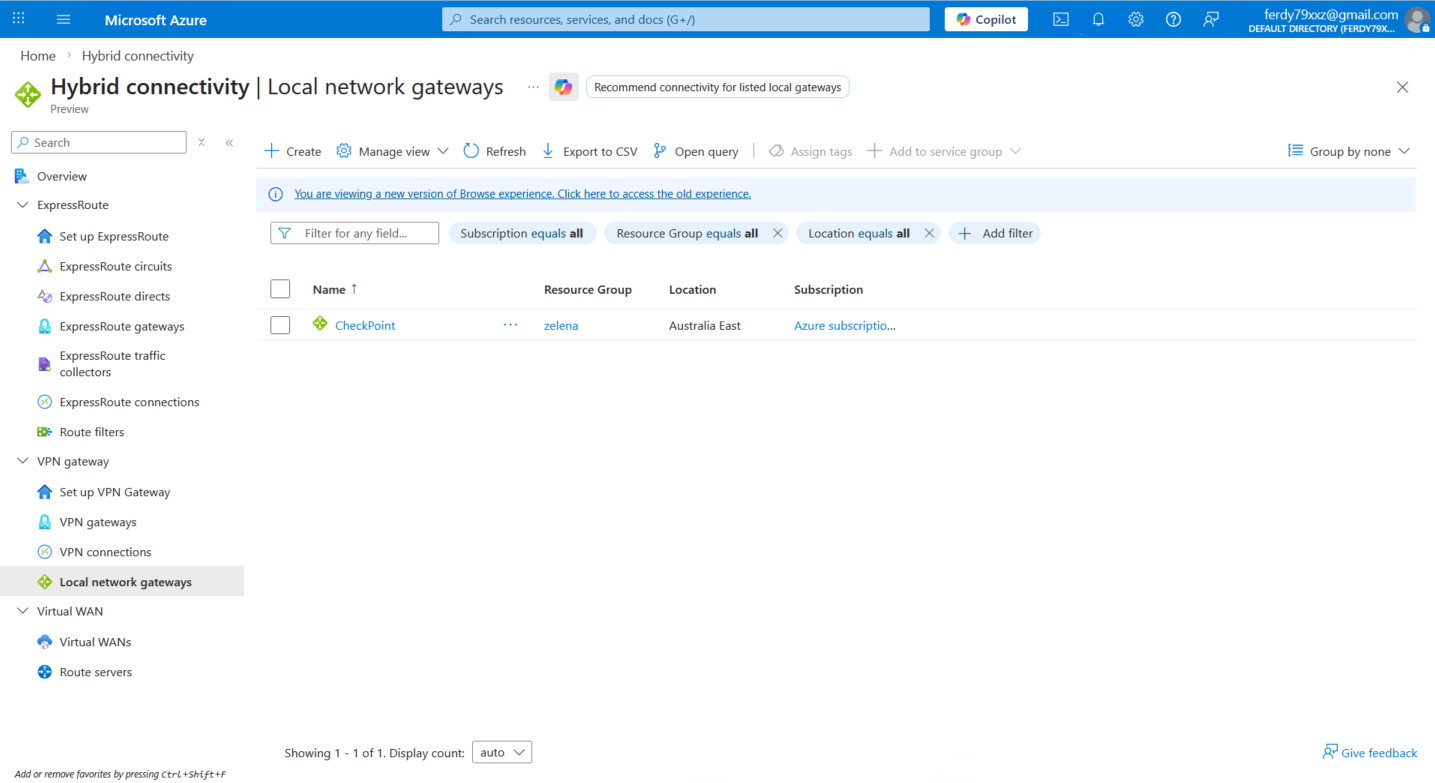
Local Network Gateway (LNG) is a specific object that represents our on-premises VPN peer within the Azure environment. Here we create new one
We name it CheckPoint and point to CP’s Public IP Address (even though CP is behind NAT and not directly accessible)
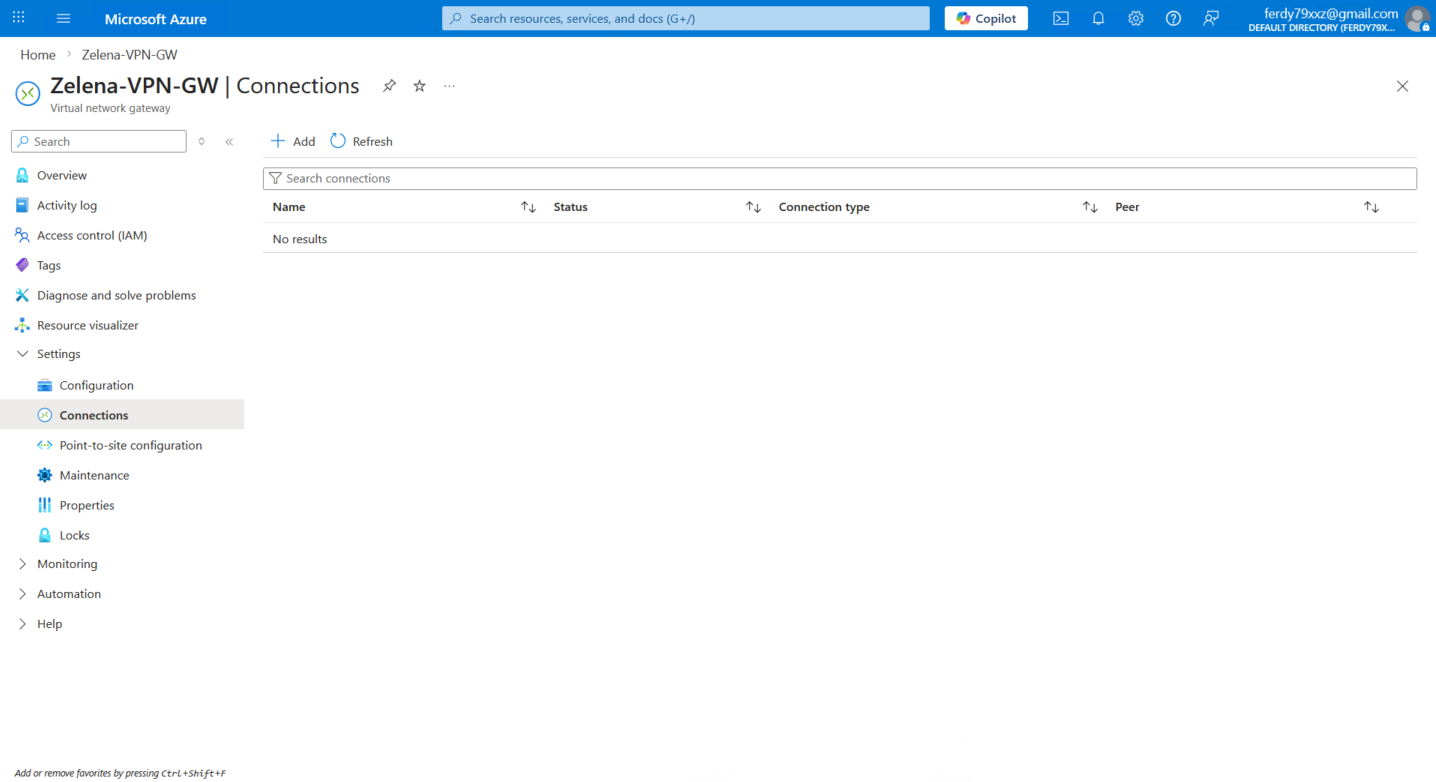
Now we go back to the VPN Gateway and add a new Connection
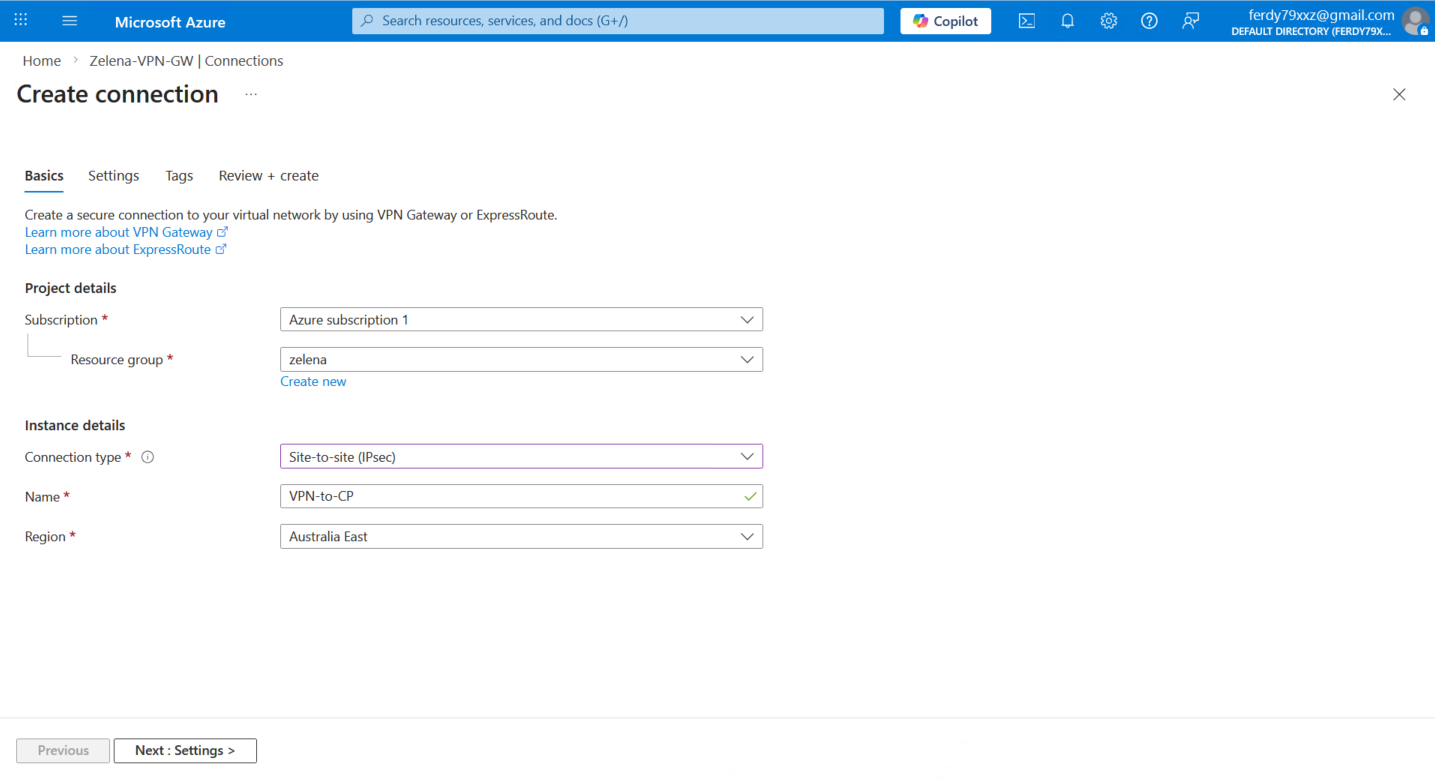
Select the s2s IPsec type and give it name
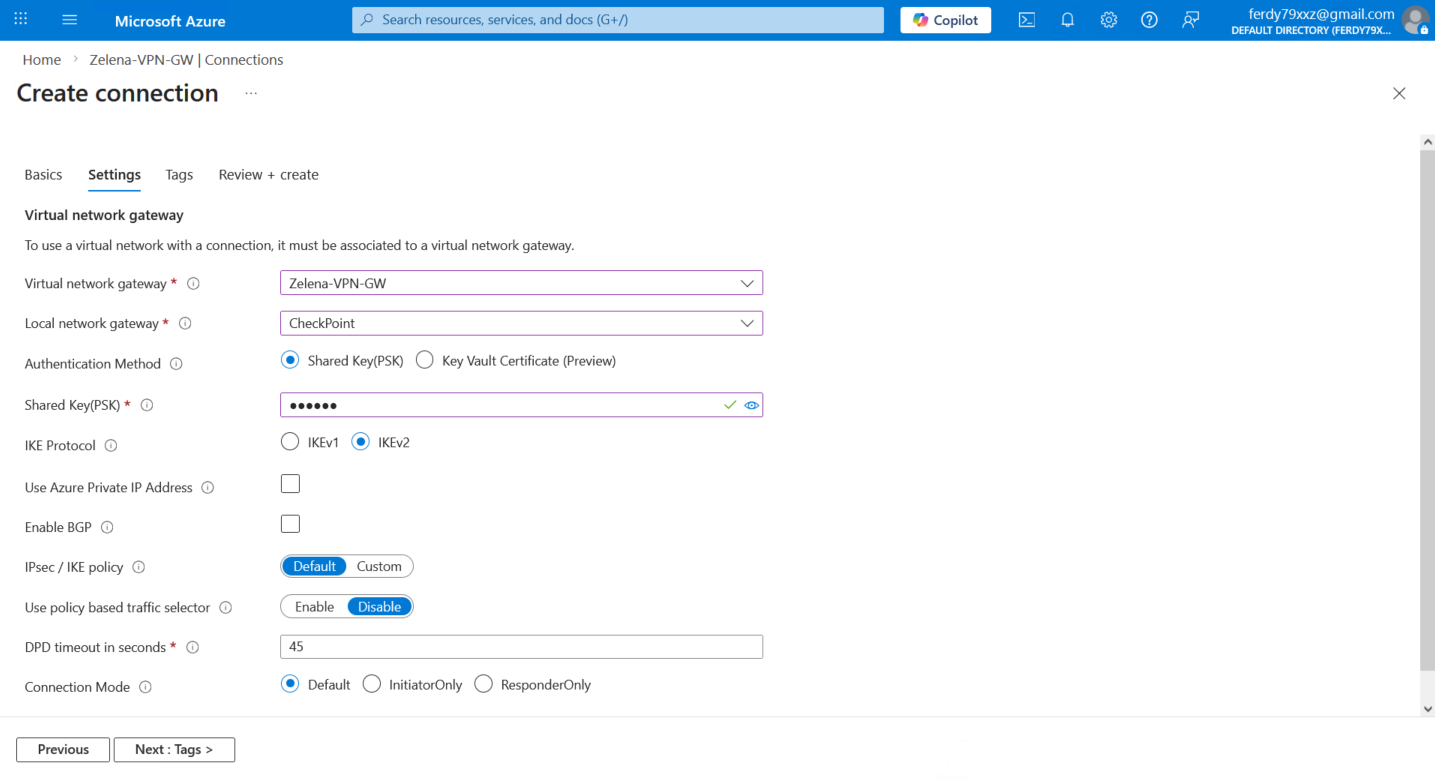
Next we bind the VPN Gateway and the Local Gateway and configure the tunnel parameters
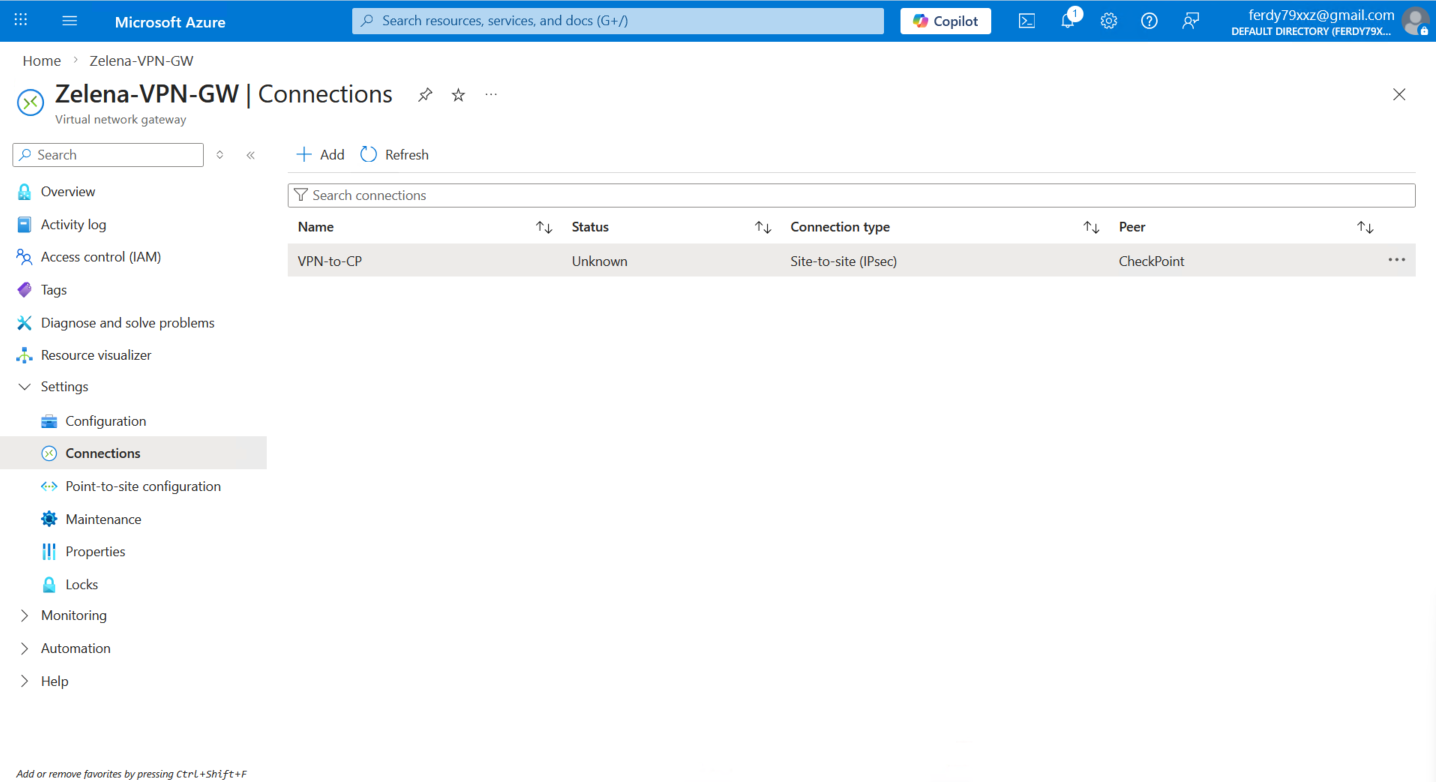
Now we can open the connection and download the VPN Configuration
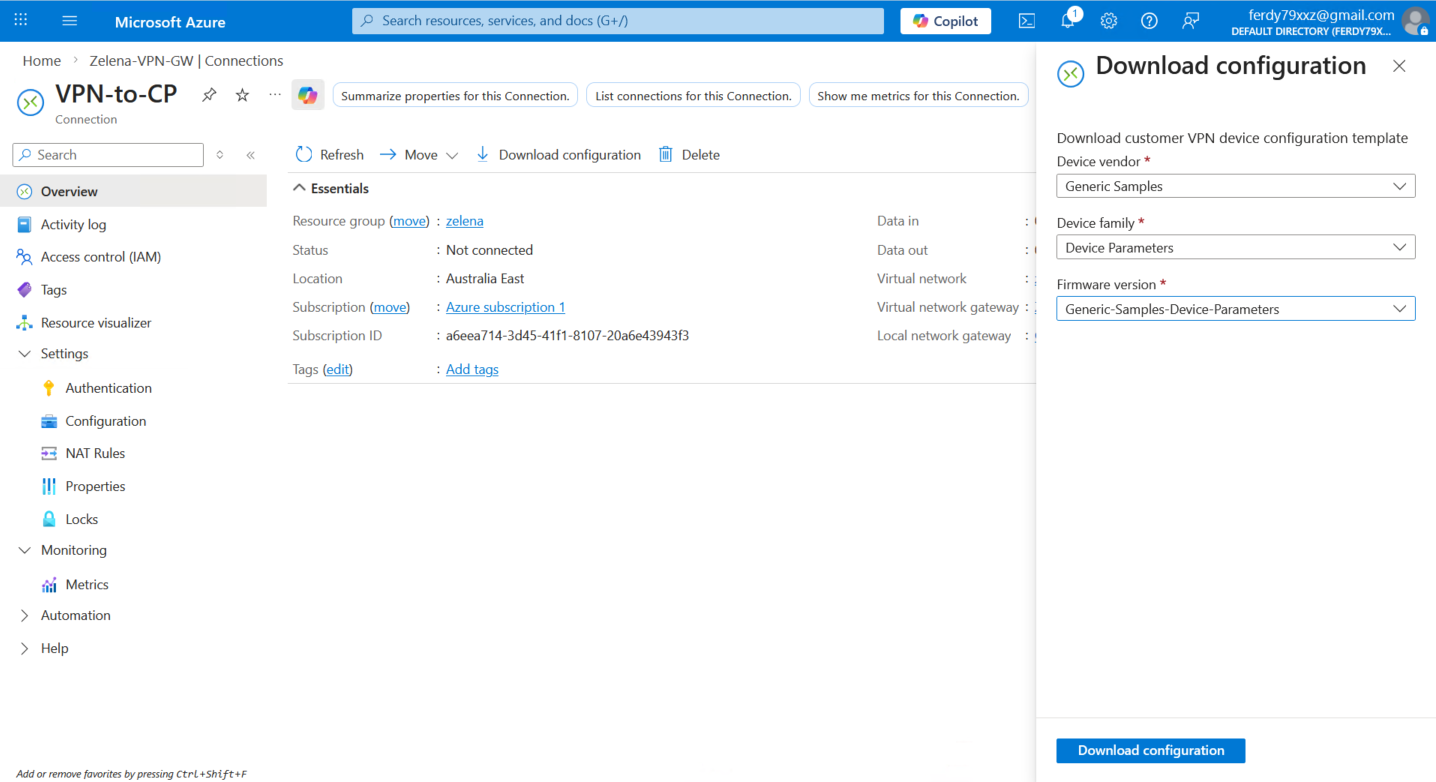
This configuration consists of the VPN parameters that we can use to configure the VPN on the On-prem side
1
2
3
4
5
6
7
8
9
10
11
12
13
14
15
16
17
18
19
20
21
22
23
24
25
26
27
28
29
30
31
32
33
34
35
36
37
38
39
!> Connection name:VPN-to-CP
!> VPN Gateway name:4eb80063-6899-4957-94f9-67b286c6a82a
!> Public IP addresses:
!+ Public IP 1:20.40.183.195
!> Virtual network address space:
!+ CIDR: 10.0.0.0/16
!- Prefix:10.0.0.0
!- Netmask:255.255.0.0
!- Wildcard: 0.0.255.255
!> Local network gateway: CheckPoint
!> On-premises VPN IP:173.39.116.5
!> On-premises address prefixes:
!+ CIDR: 10.21.0.0/24
!- Prefix:10.21.0.0
!- Netmask:255.255.255.0
!- Wildcard: 0.0.0.255
!
!> IKE version:IKEv2
!+ Encryption algorithm:aes-cbc-256
!+ Integrityalgorithm:sha1
!+ Diffie-Hellman group:2
!+ SA lifetime (seconds): 3600
!+ Pre-shared key:helena
!+ UsePolicyBasedTS:False
!
!> IPsec
!+ Encryption algorithm:esp-gcm 256
!+ Integrity algorithm:
!+ PFS Group:none
!+ SA lifetime (seconds): 3600
!
ip address 169.254.0.1 255.255.255.252
tunnel mode ipsec ipv4
ip tcp adjust-mss 1350
tunnel source 173.39.116.5
tunnel destination 20.40.183.195
tunnel protection ipsec profile VPN-to-CP-IPsecProfile

this is the vpn confugration that i download froma azure. help me configure it on cp.
Check Point
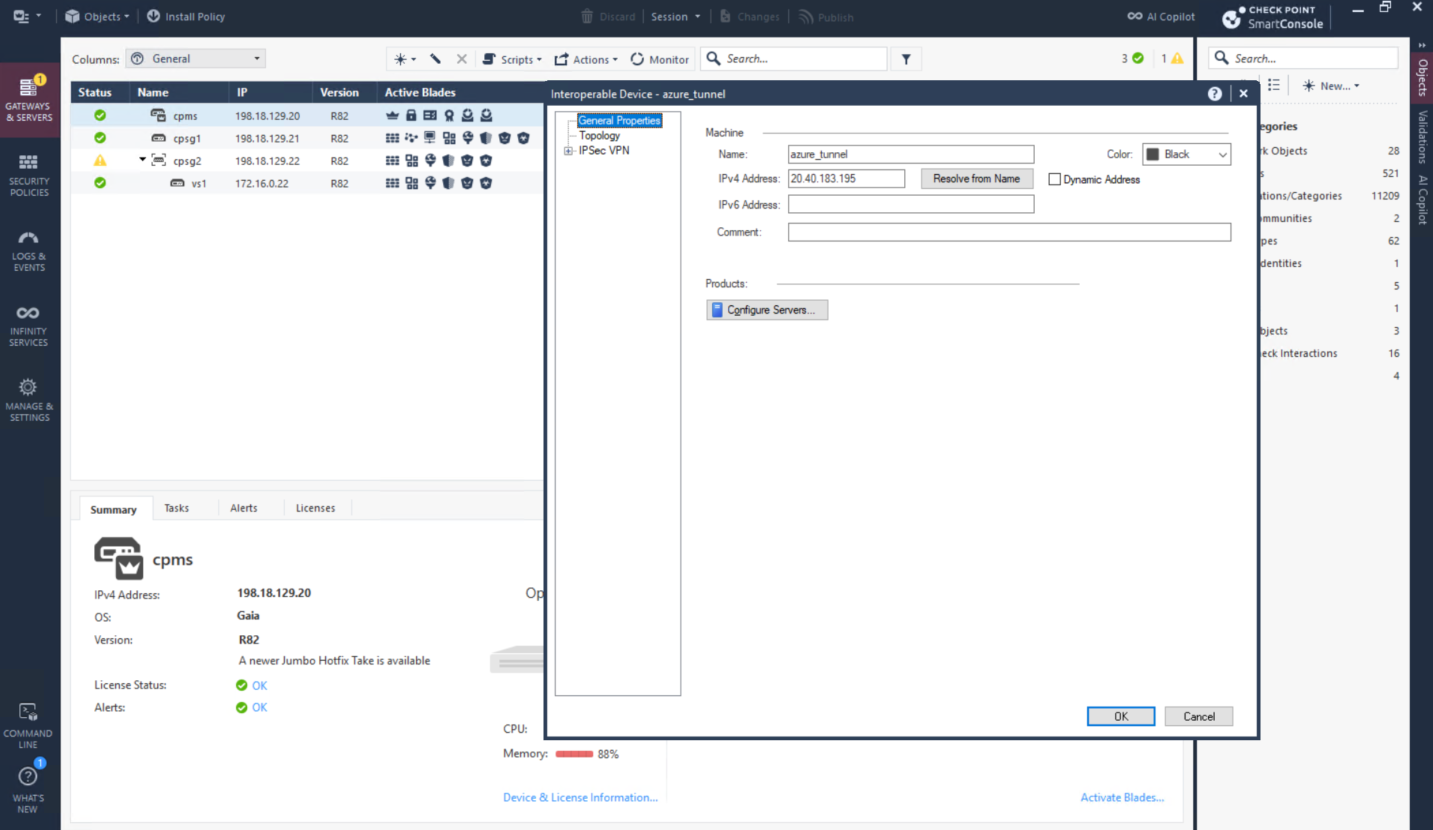
Now we configure the IPSec on the CP side, first we will create a new Interoperable Device pointing to Azure’s VPN Public IP
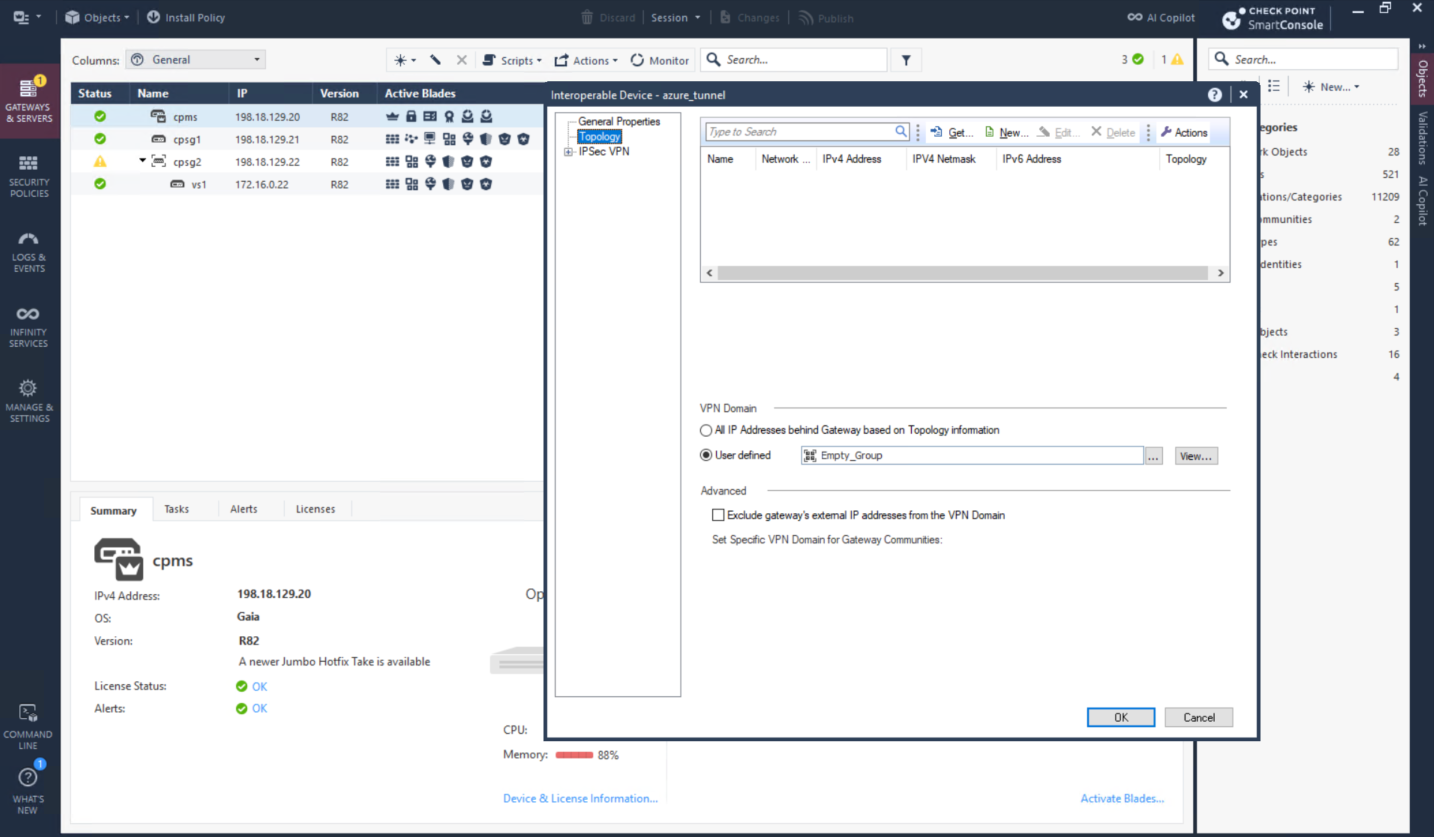
For topology we will use Empty Group because routing will be defined manually using static route and VTI
Then create Star VPN Community with parameters retrieved from the downloaded configurations
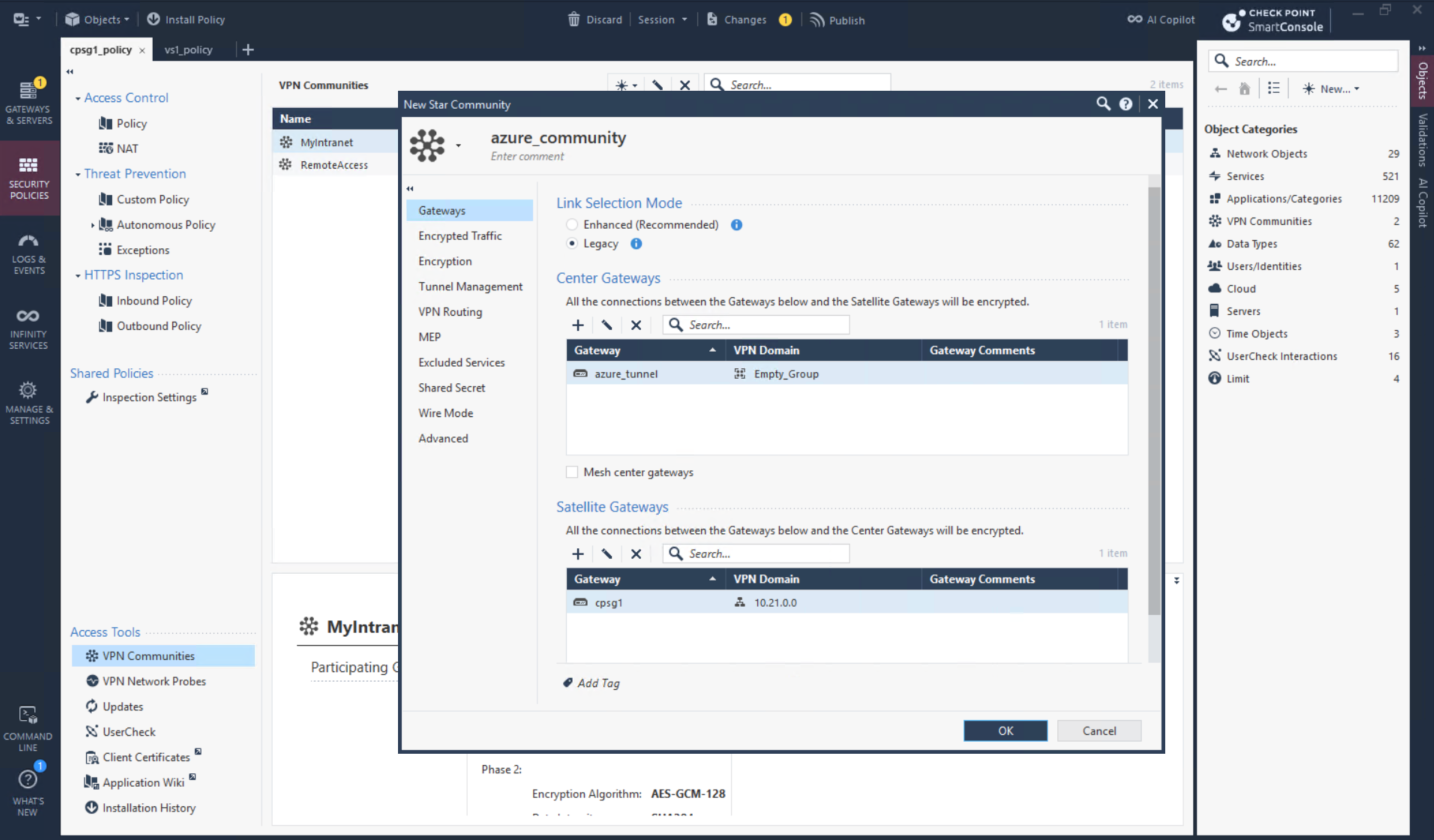
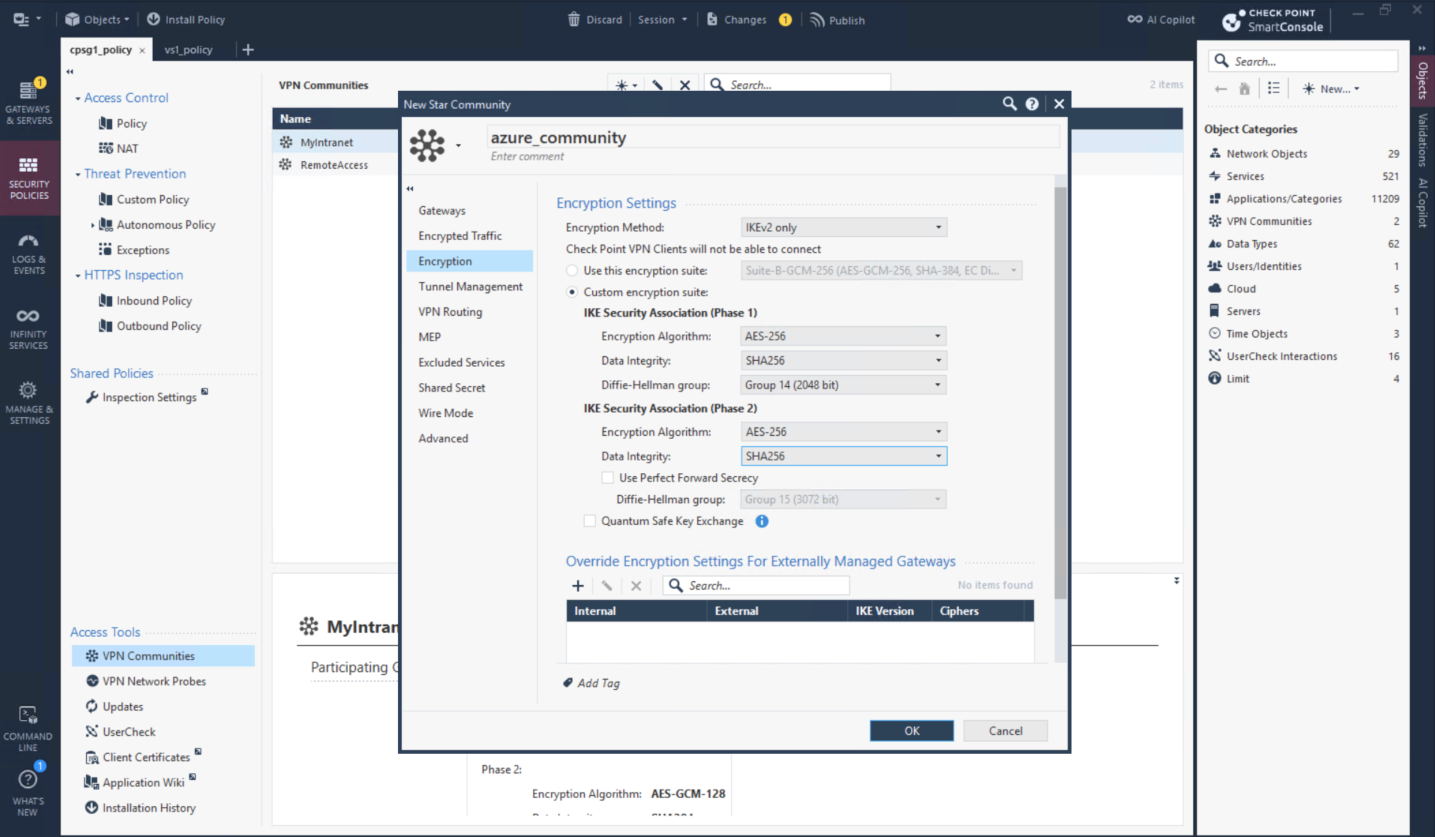
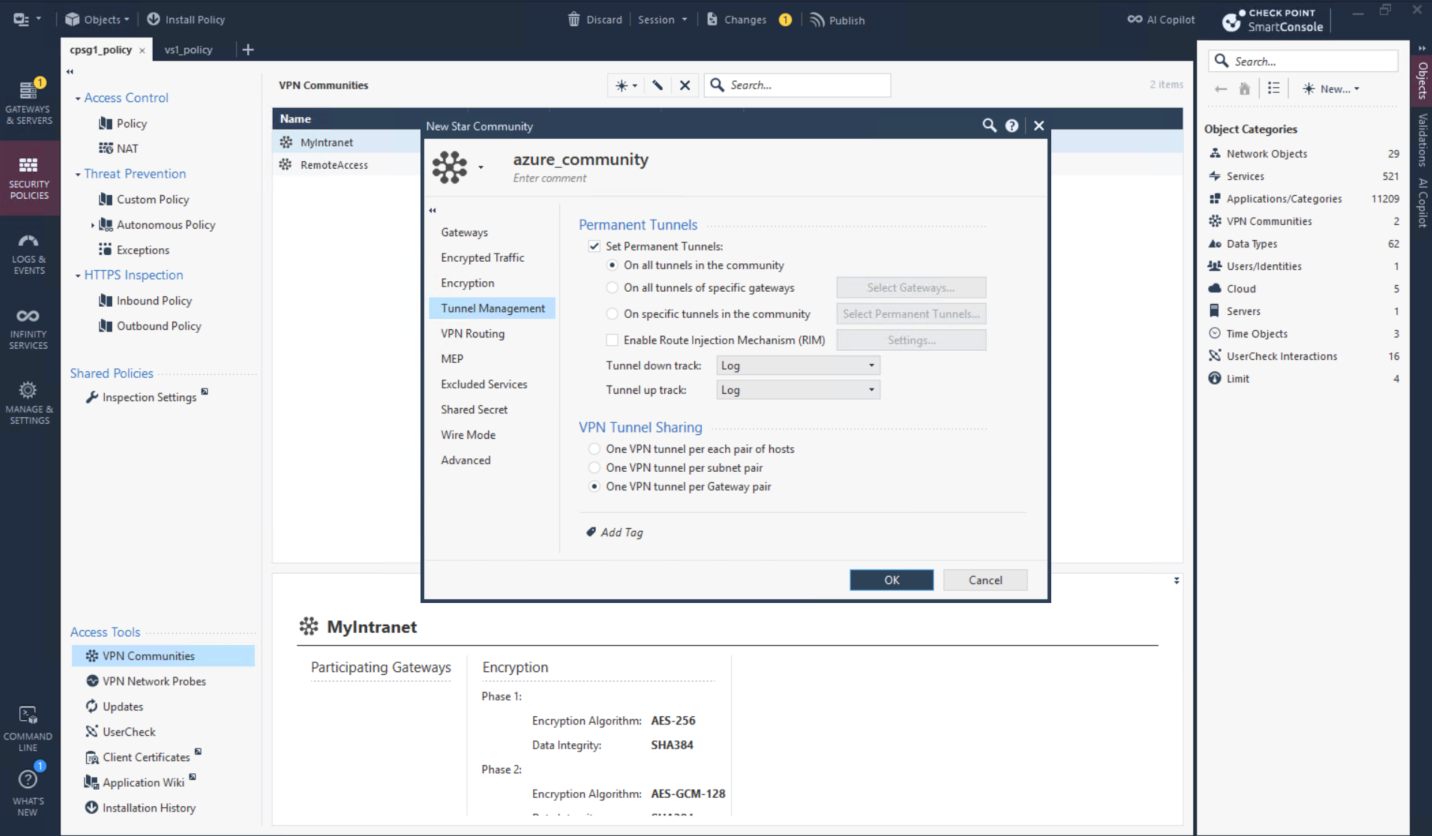
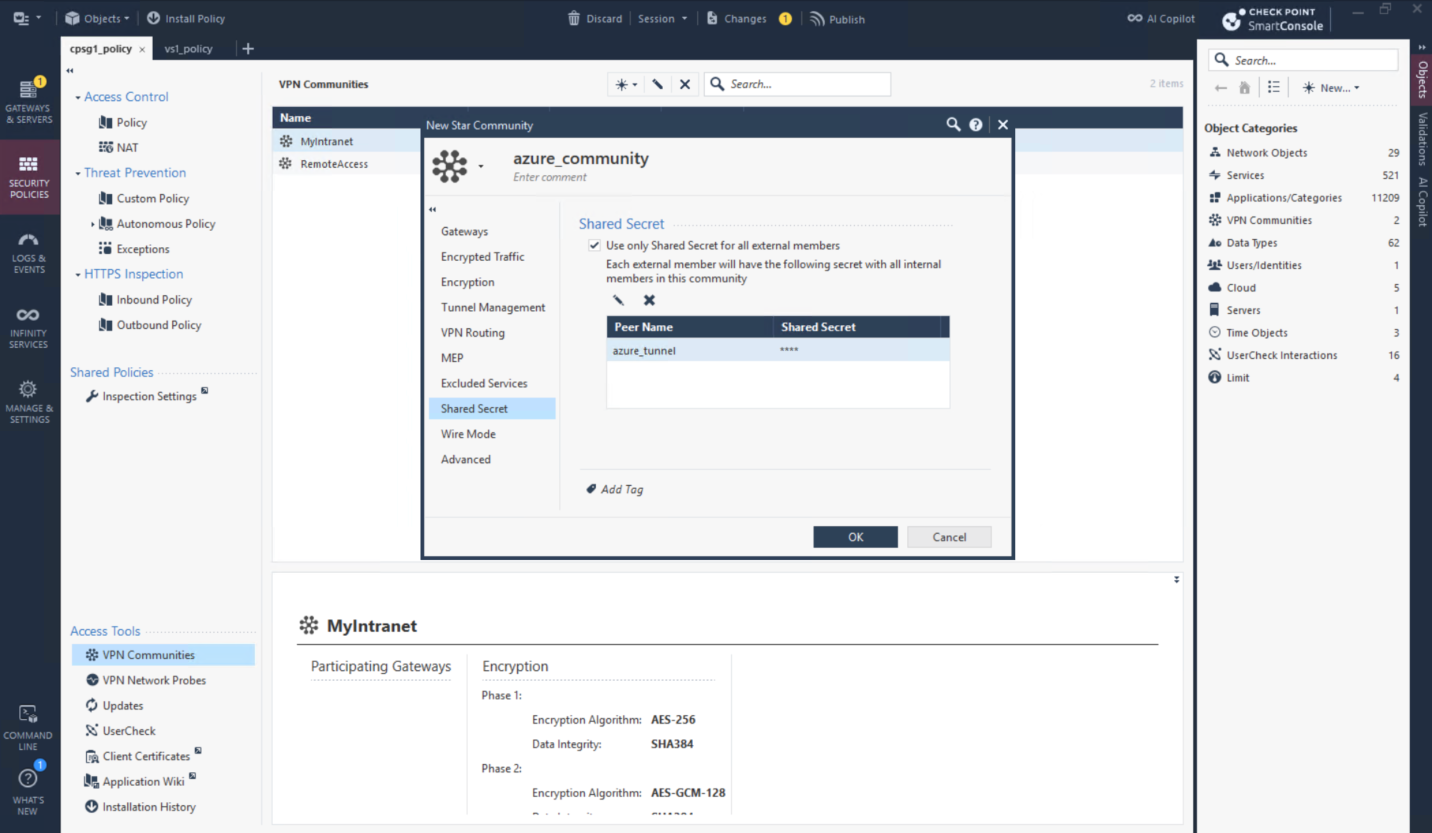
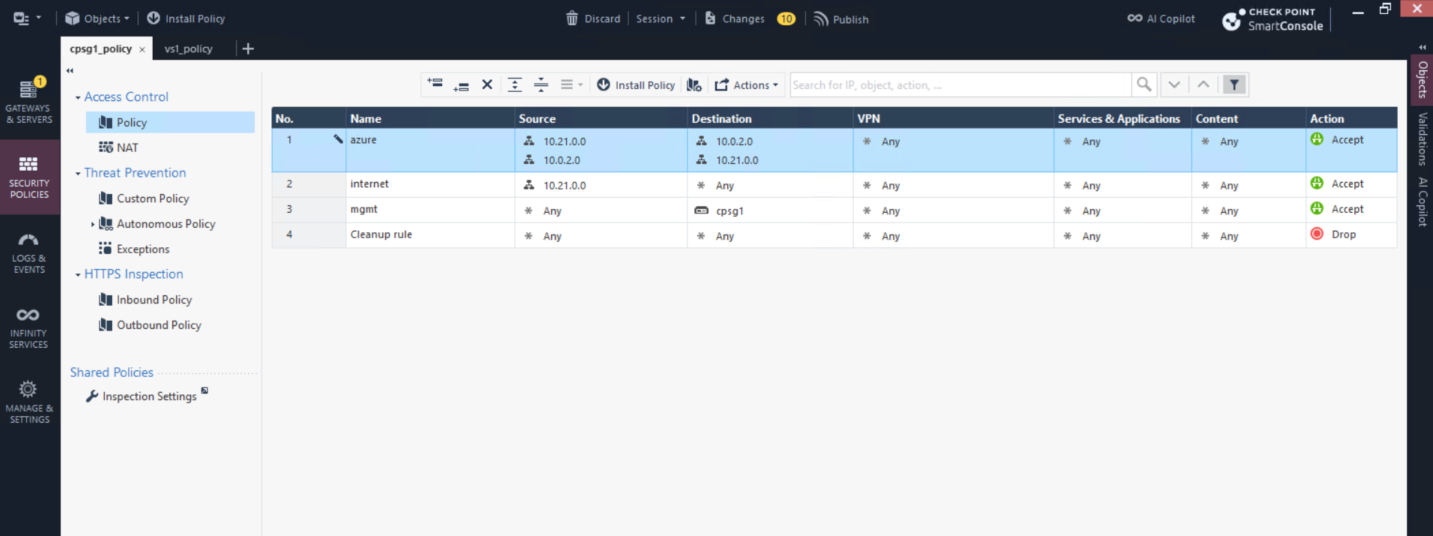
And we also need a policy to allow our traffic
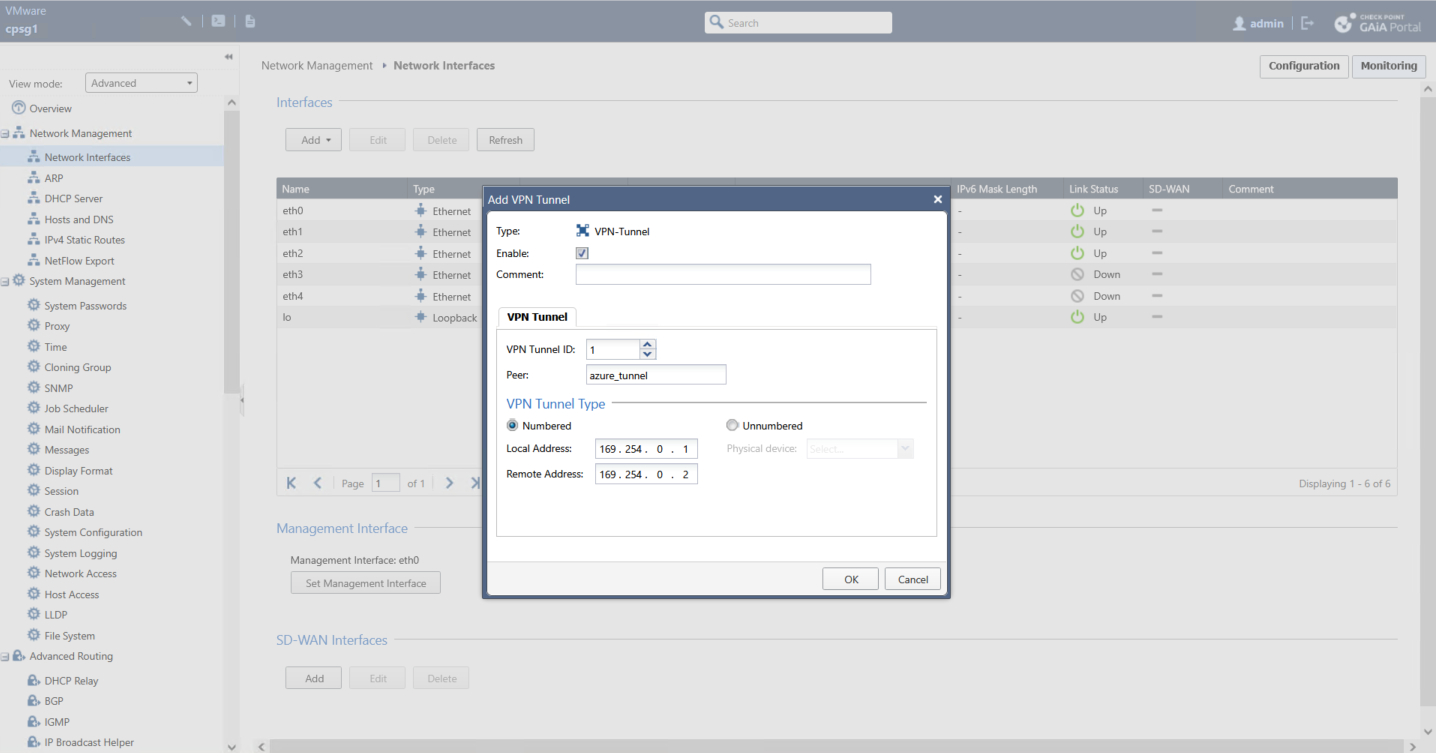
Next we create the VTI
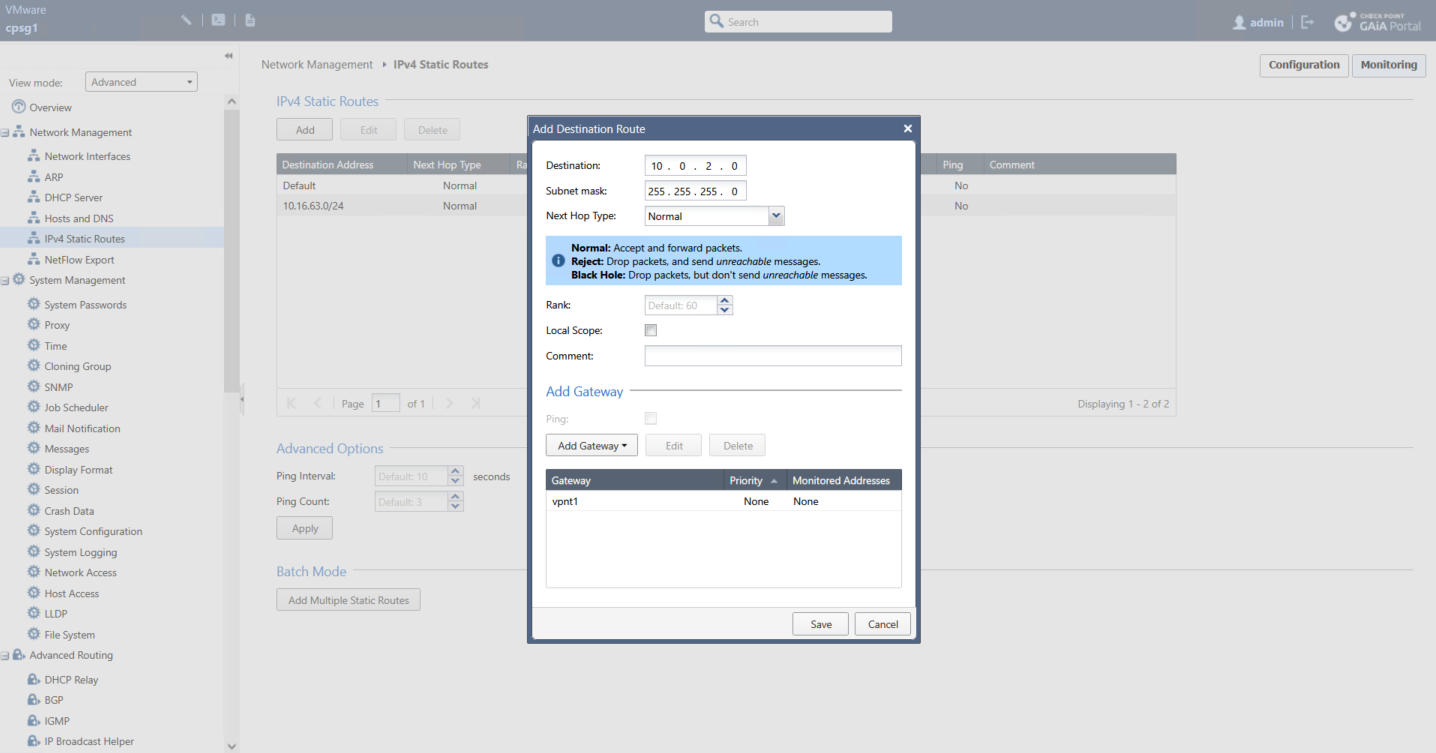
And we steer the traffic going to 10.0.2.0/24 to use our VTI
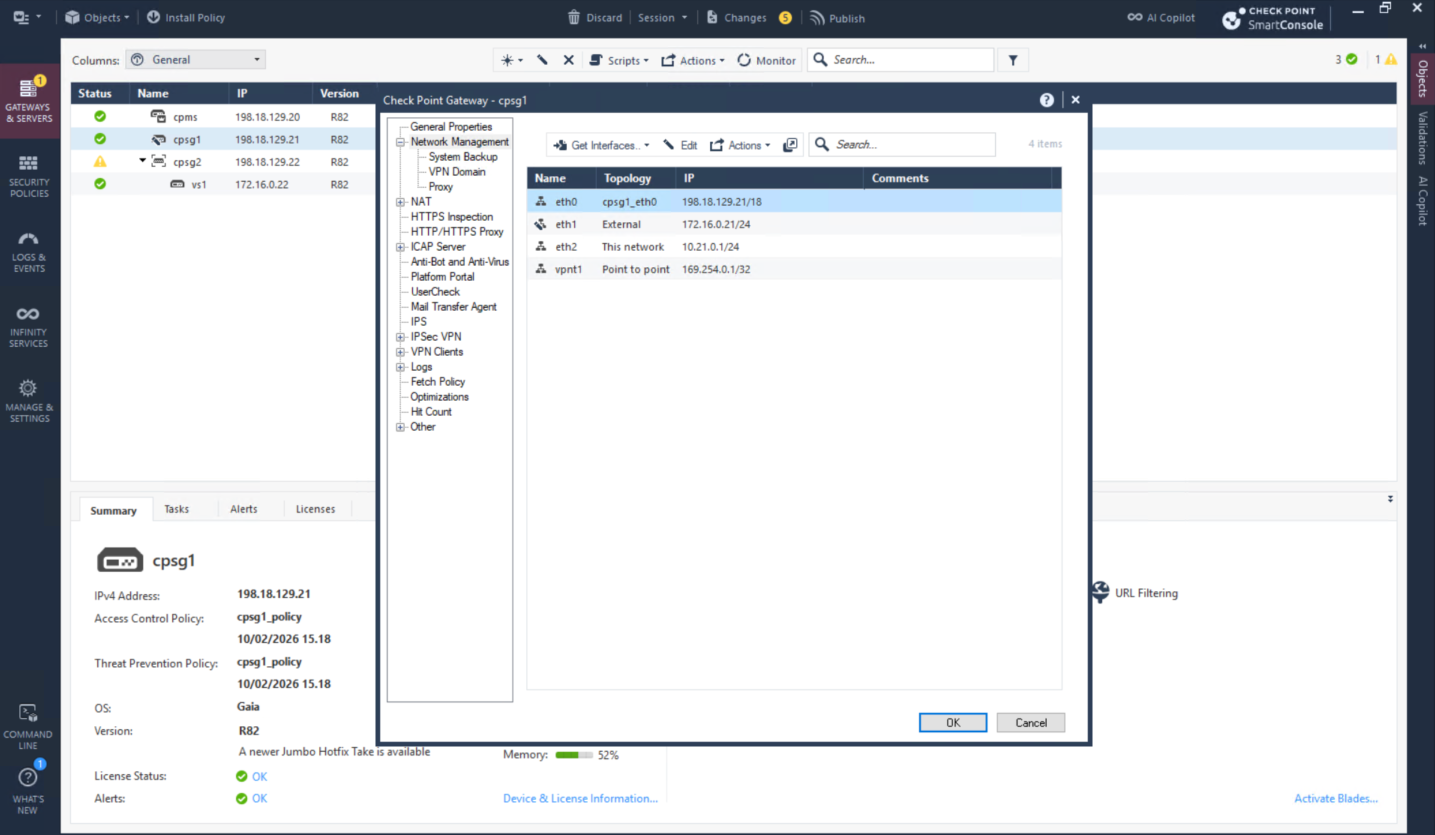
Lastly retrieve the new network topology and install the policy
Verifying VPN
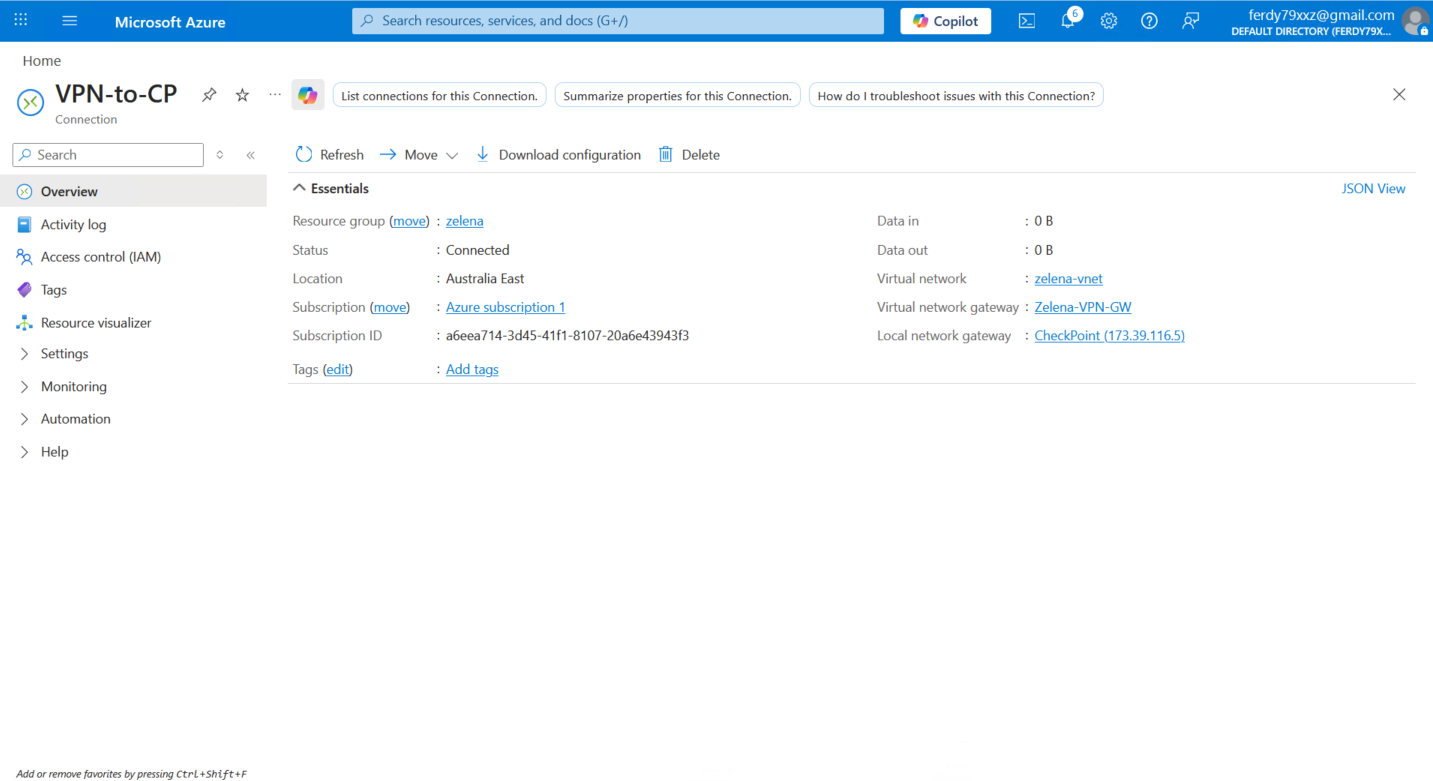
Back on Azure’s connection, now we can see that the VPN is Connected
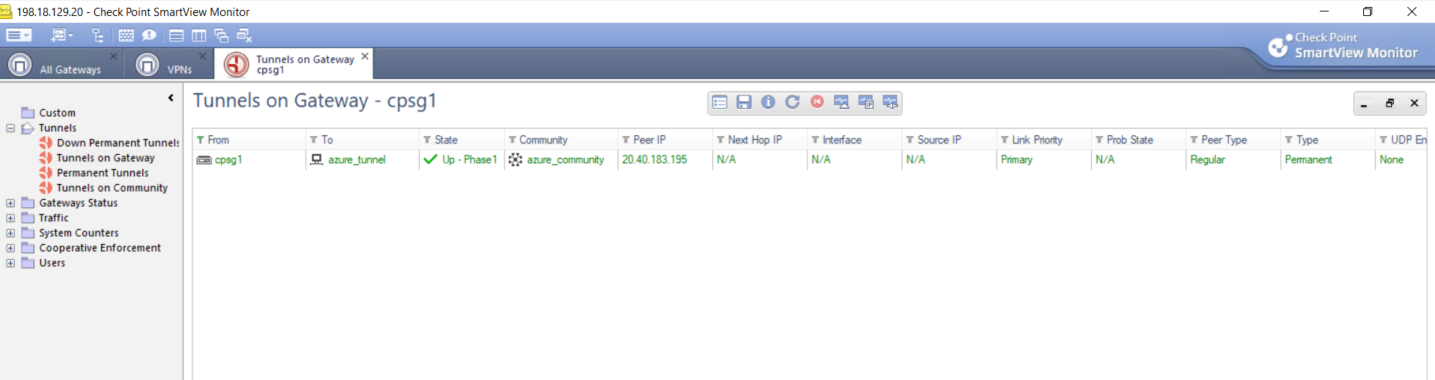
We can also verify it on Check Point’s Smart View
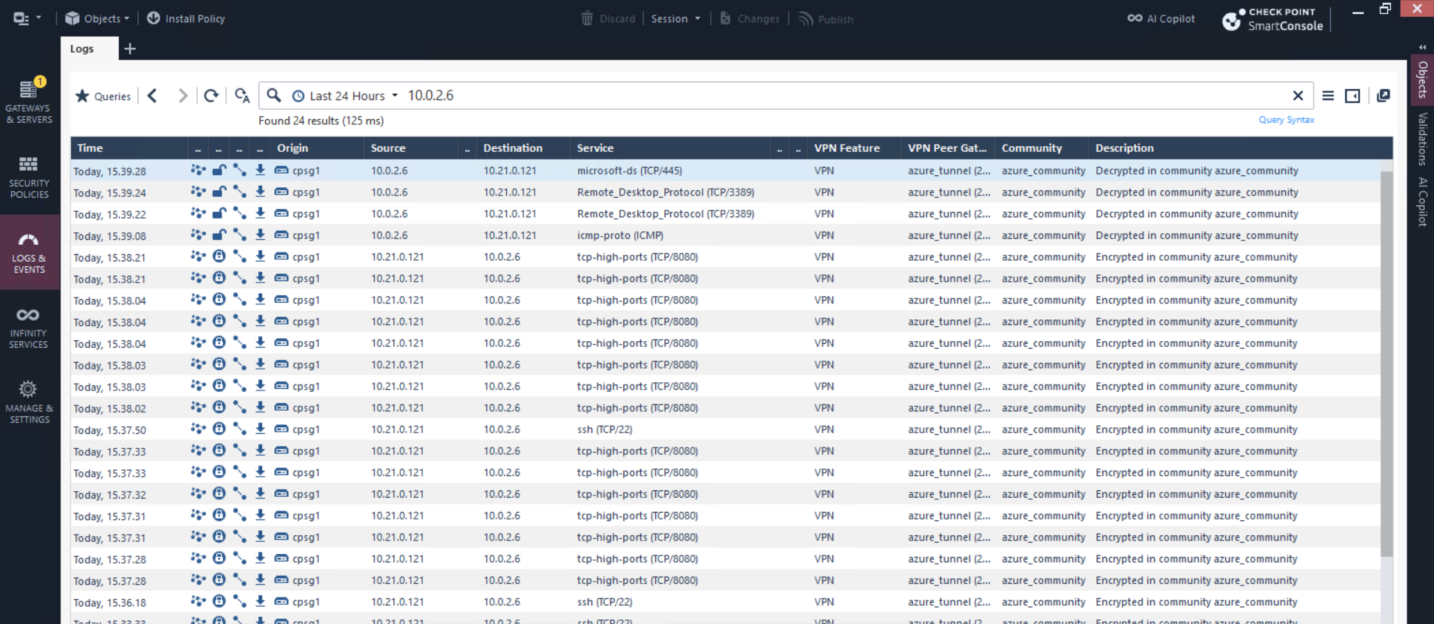
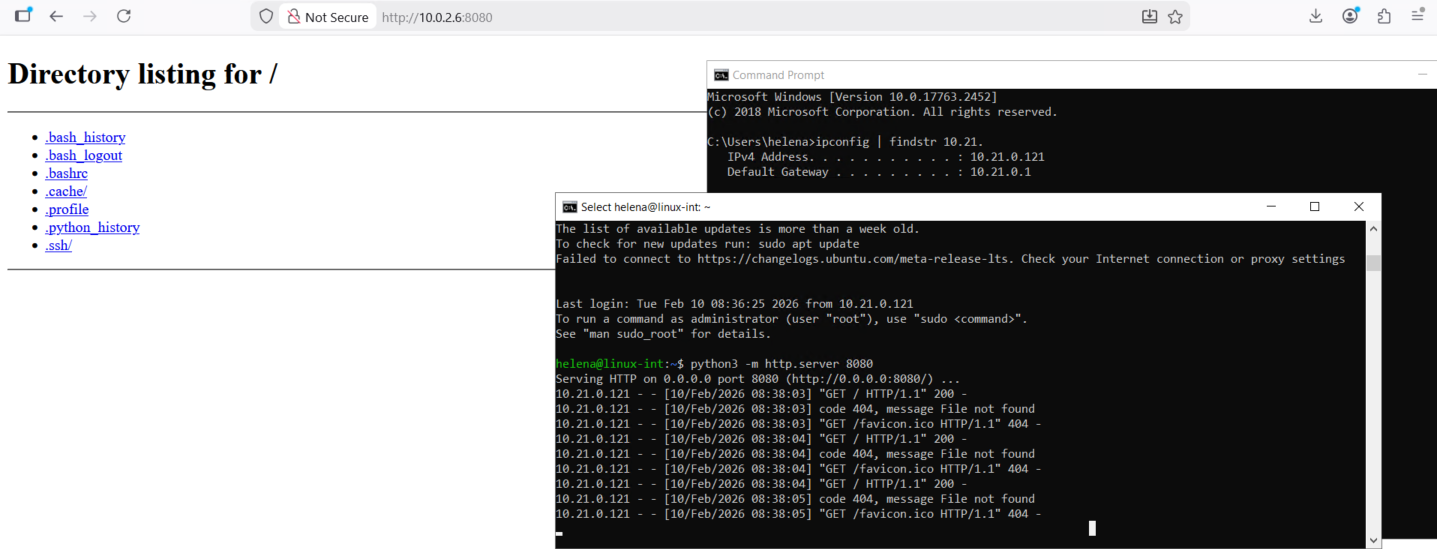
Testing the connection between the 2 subnets, here our Windows client (10.21.0.121) can ping, ssh and access web server on Azure’s linux host on 10.0.2.6
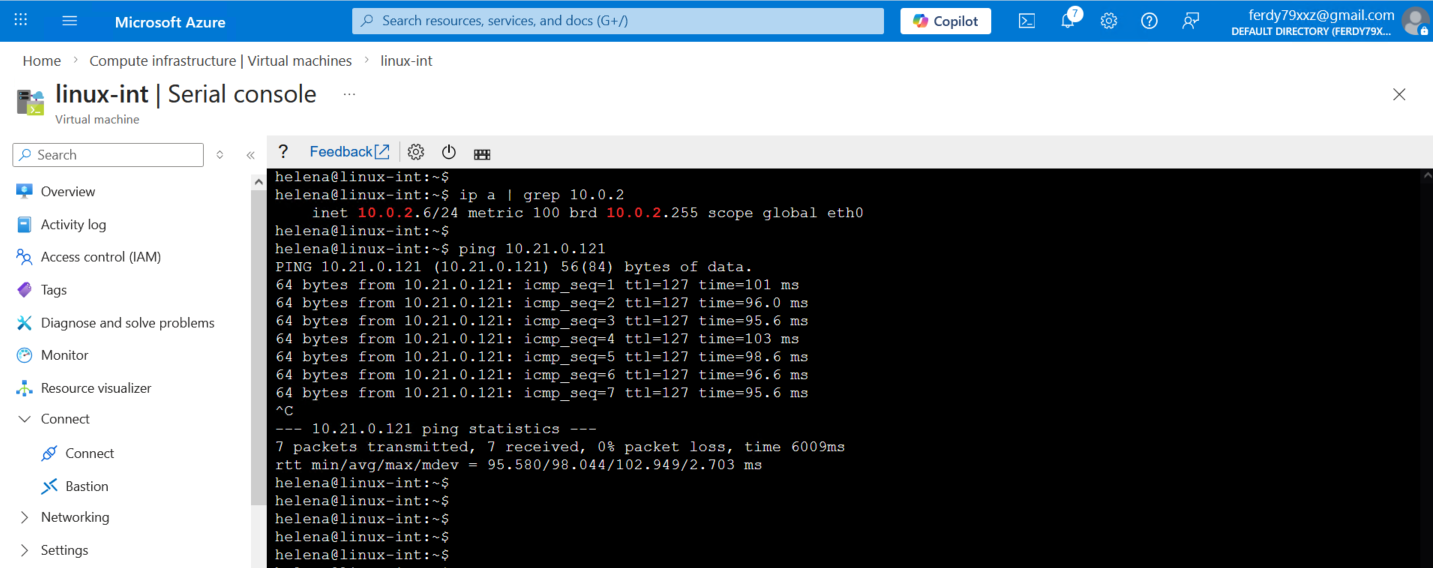
Same goes for the traffic coming in from Azure to CP
The traffic is logged on our CP side verifying that the VPN connection is up and able to connect the 2 networks