GCP Network Connectivity Center (NCC)
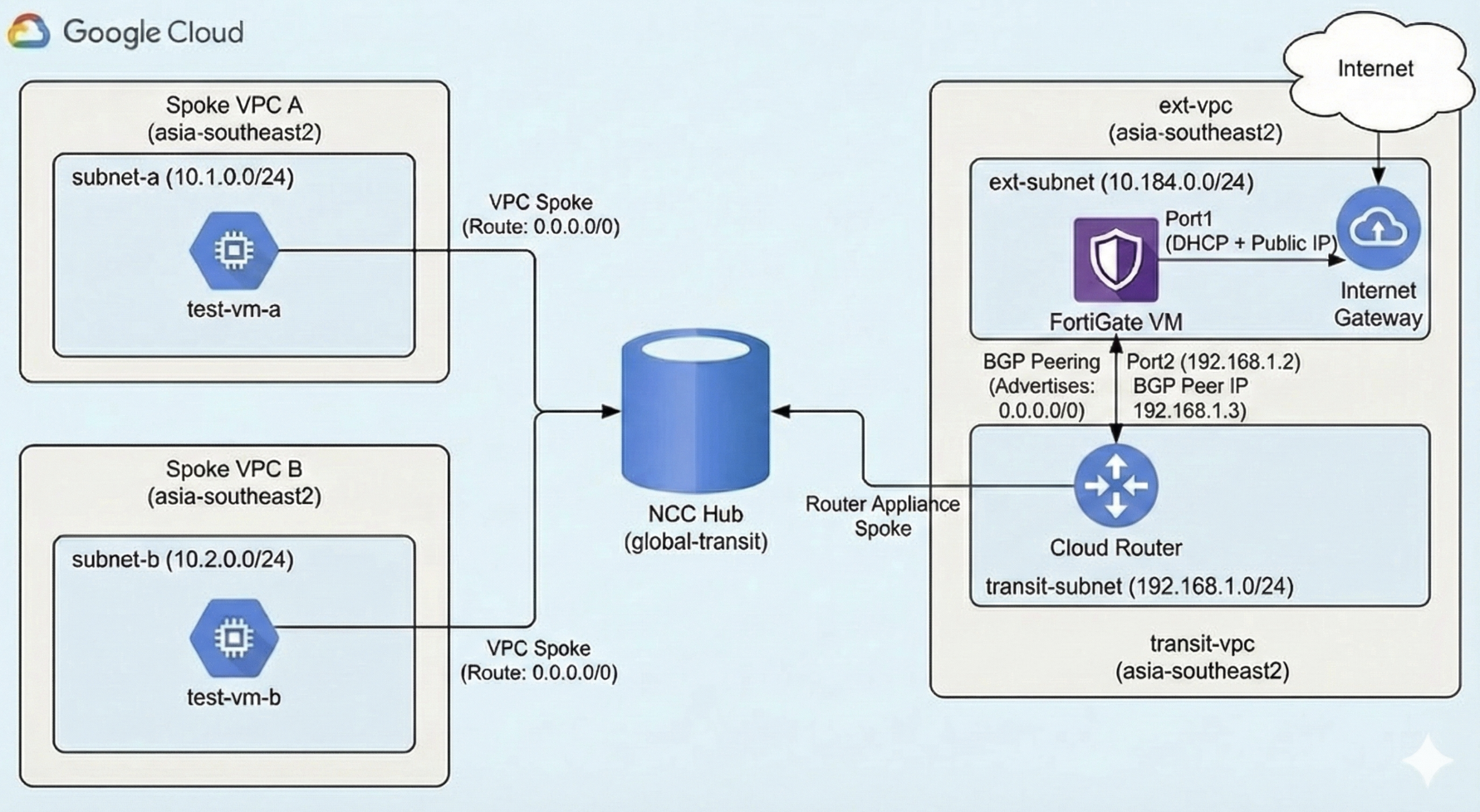
In this lab, we will configure Network Connectivity Center (NCC) Hub that serve as a global control plane for managing network connectivity across multiple VPCs. By integrating a FortiGate VM as a Router Appliance spoke, we use the FortiGate to function as a centralized security gateway for all internet traffic.
VPC
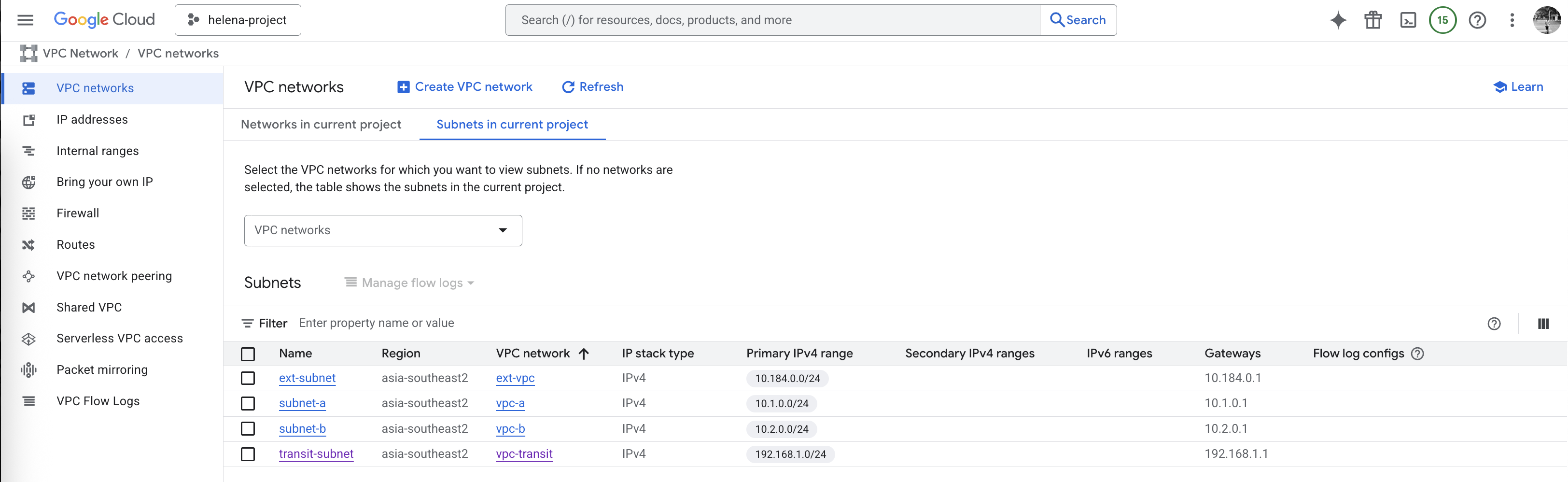
First we create all the VPCs that we need for this lab
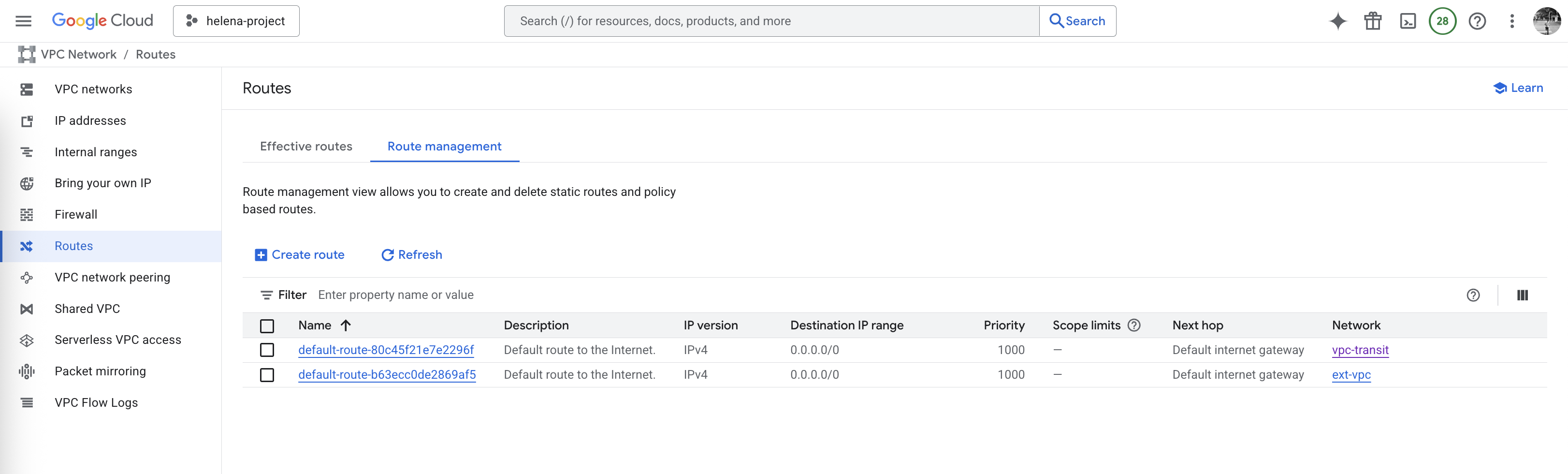
Make sure the spoke VPCs (vpc-a & vpc-b) do not have static default route, we will use BGP later on for this
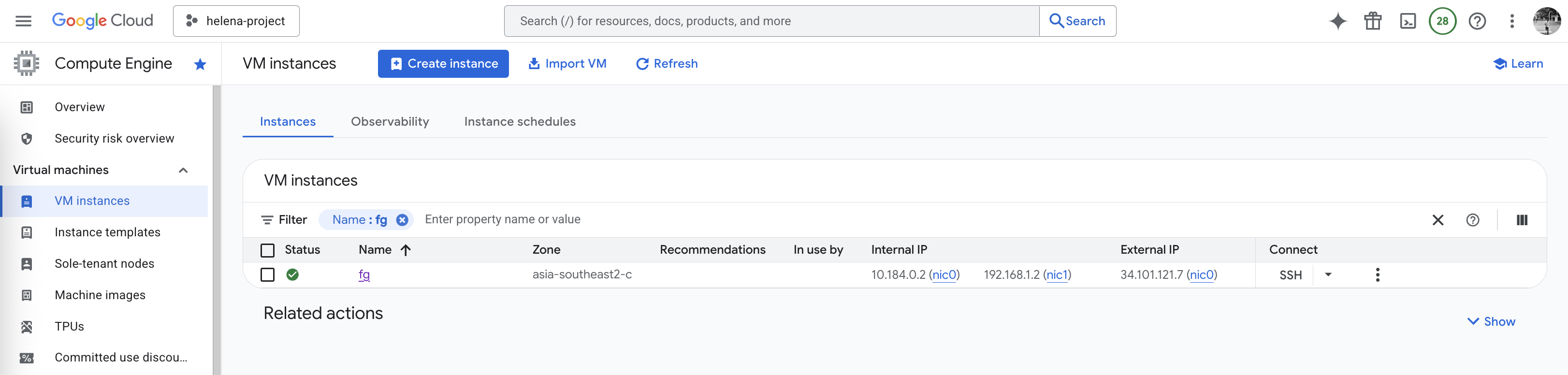
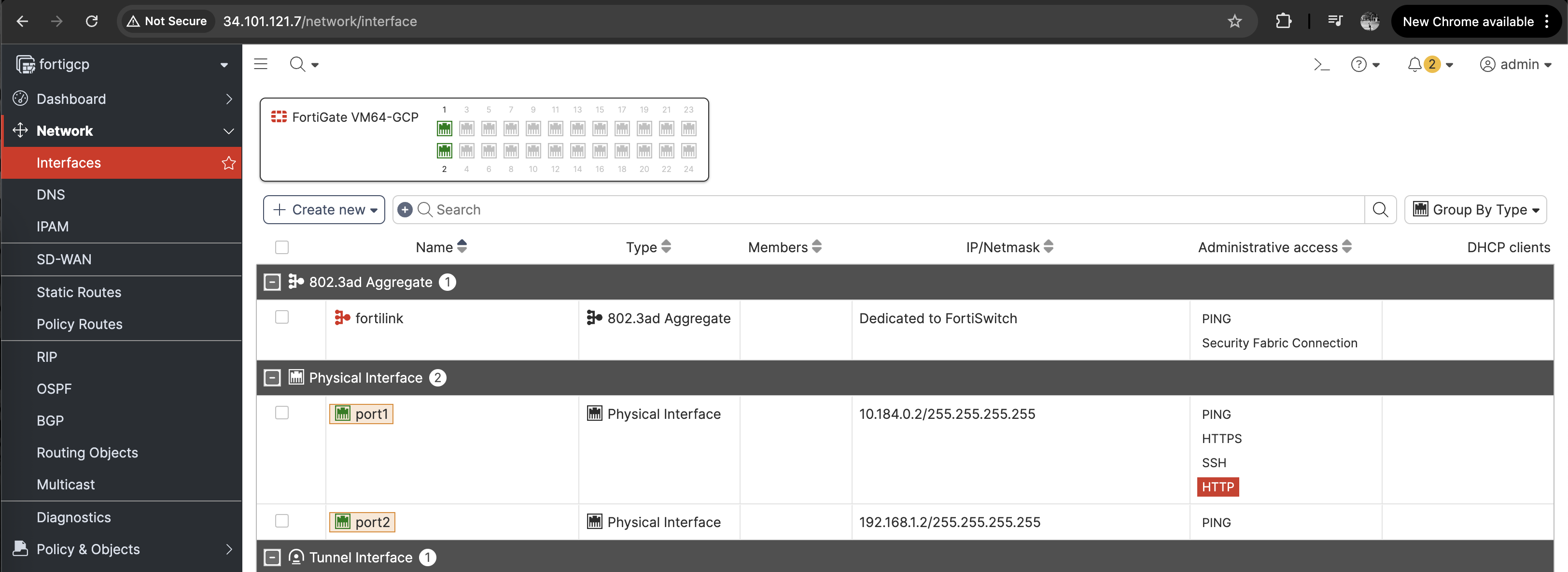
Then deploy the Fortigate Firewall to have 2 interfaces, the uplink to the ext-vpc with internet access and the downlink to the transit-vpc
Cloud Router
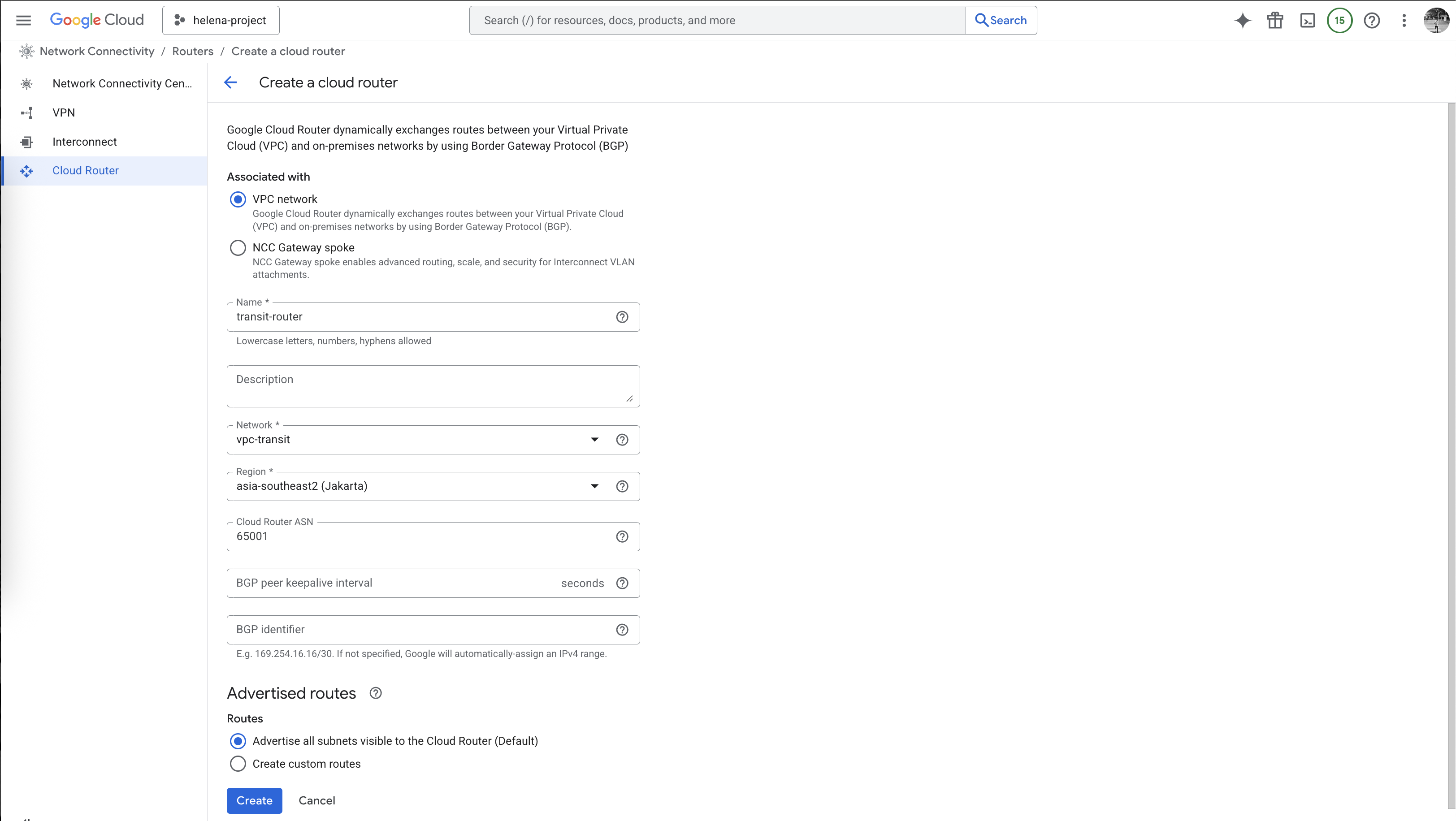
After that we create the Cloud Router on vpc-transit with BGP ASN 65001
On Advertised Routes, we will configure this router to advertise both vpc-a & vpc-b subnets
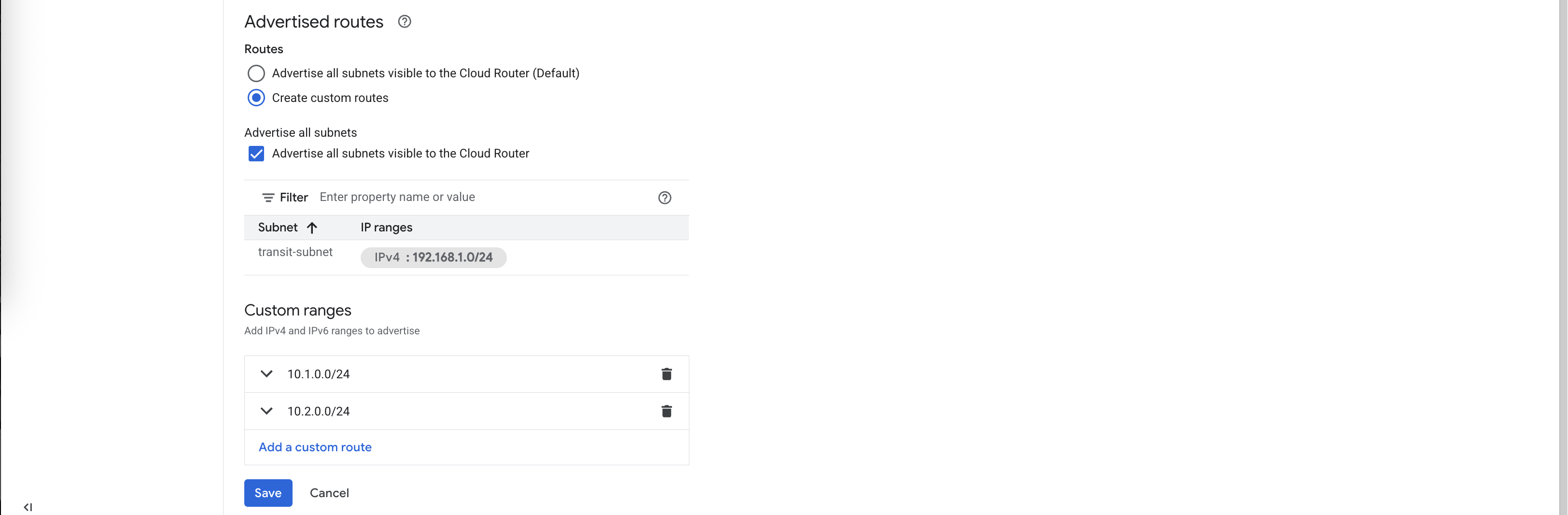
Now we have our Cloud Router configured

NCC Hub Mesh
Next we create a NCC Hub, for simplicity we will use the Mesh Topology because Mesh allows all spokes to speak to each other directly
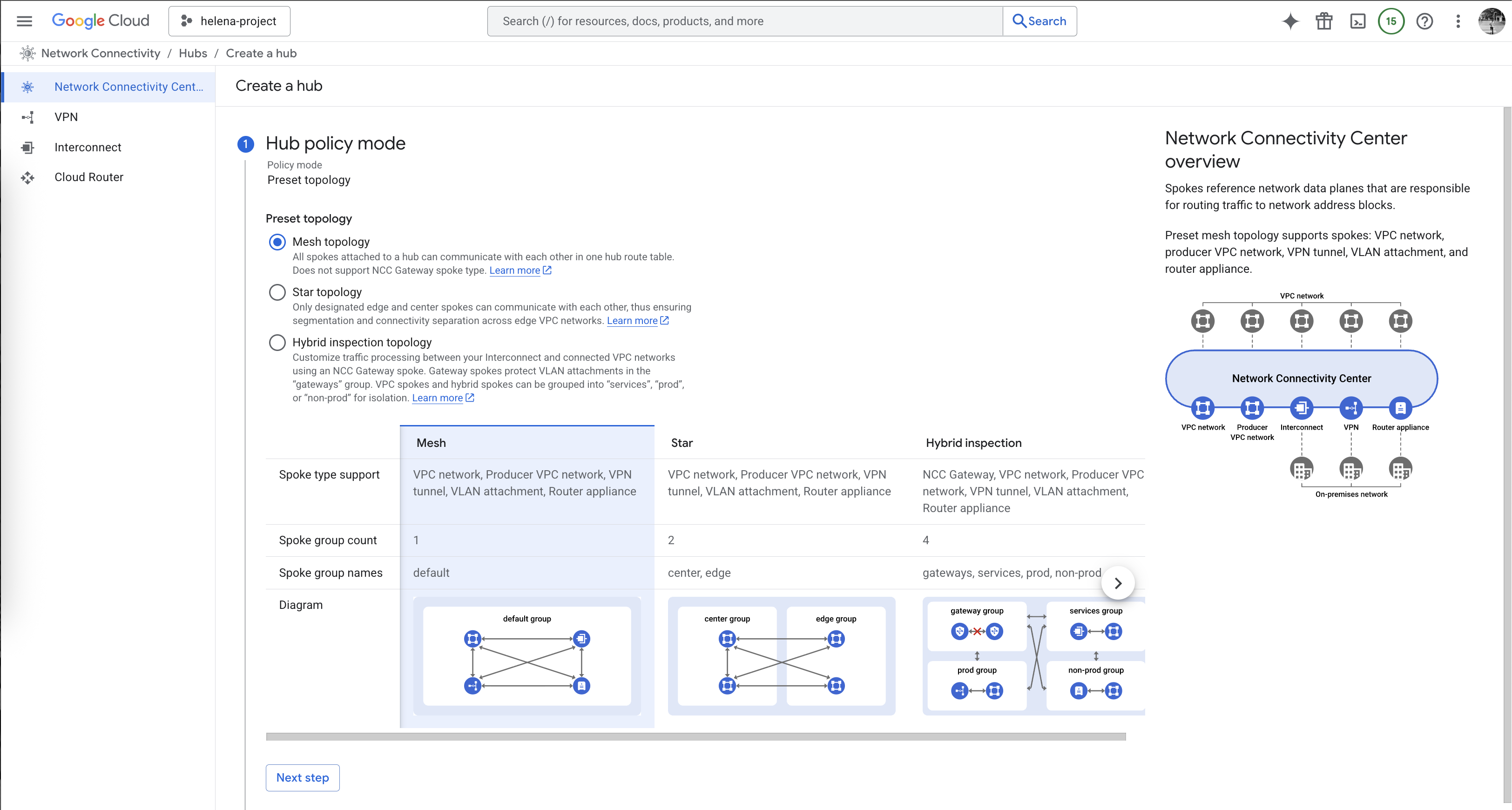
- Mesh Topology : All spokes belong to a single group where every VPC or hybrid spoke can communicate directly with every other spoke in a many-to-many relationship, optimizing for low latency.
- Star Topology: Spokes are organized into “Center” and “Edge” groups to enforce network segmentation; Center spokes can communicate with all other spokes, while Edge spokes can only communicate with those in the Center group.
- Hybrid Inspection Topology: A specialized configuration supported only with NCC Gateway that mandates all cloud-to-cloud and hybrid traffic be steered through a centralized set of Next-Generation Firewalls (NGFWs) for deep, stateful packet inspection.
Next give it name
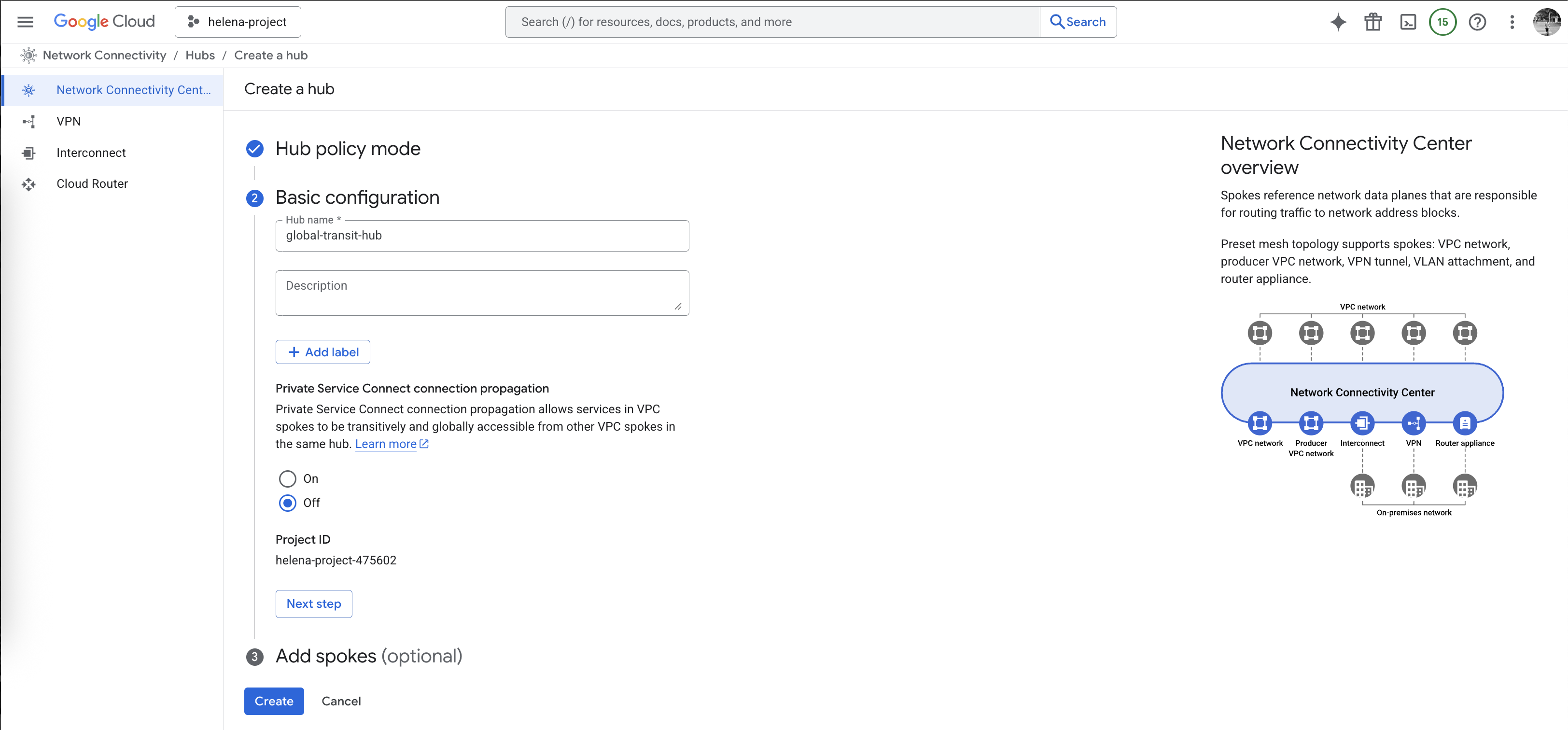
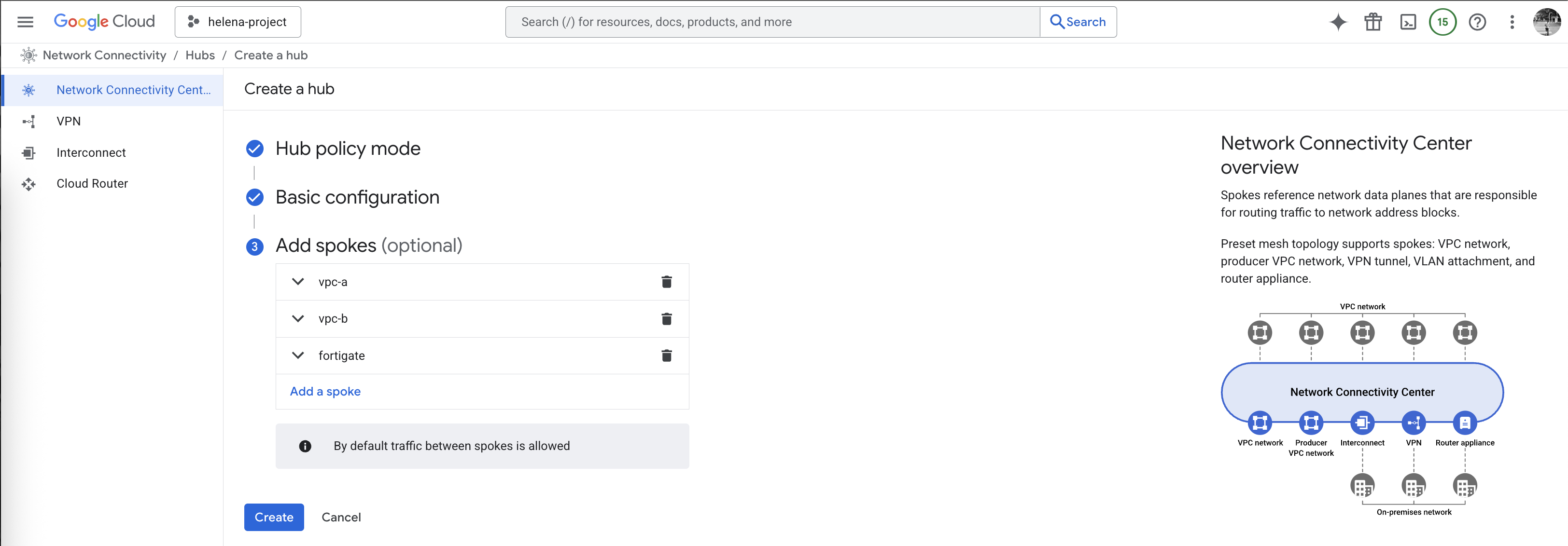
And lastly here we add the 3 spokes, first two are the vpc-a & vpc-b
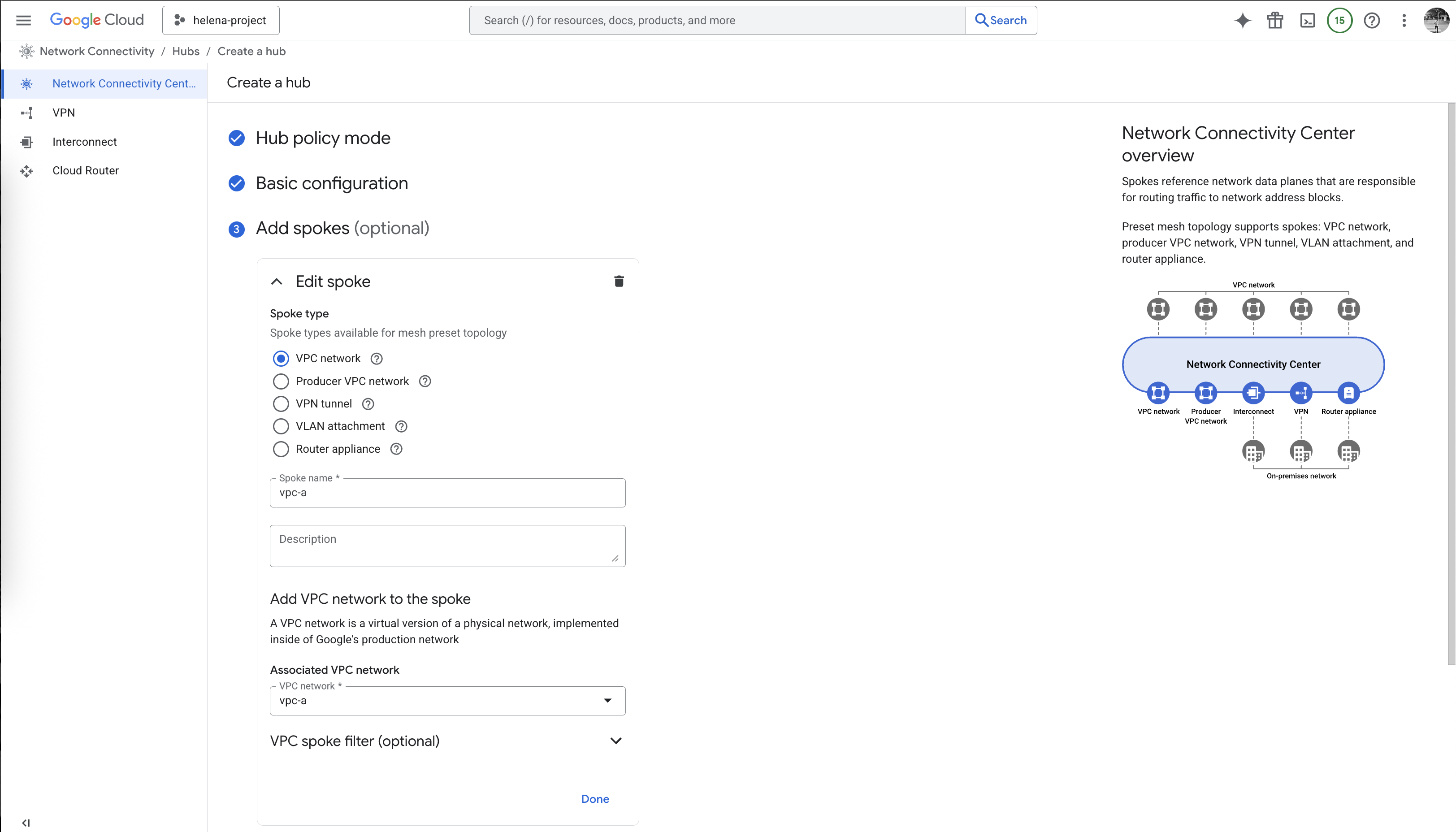
And the last one is a Router Appliance that points to the Fortigate Firewall
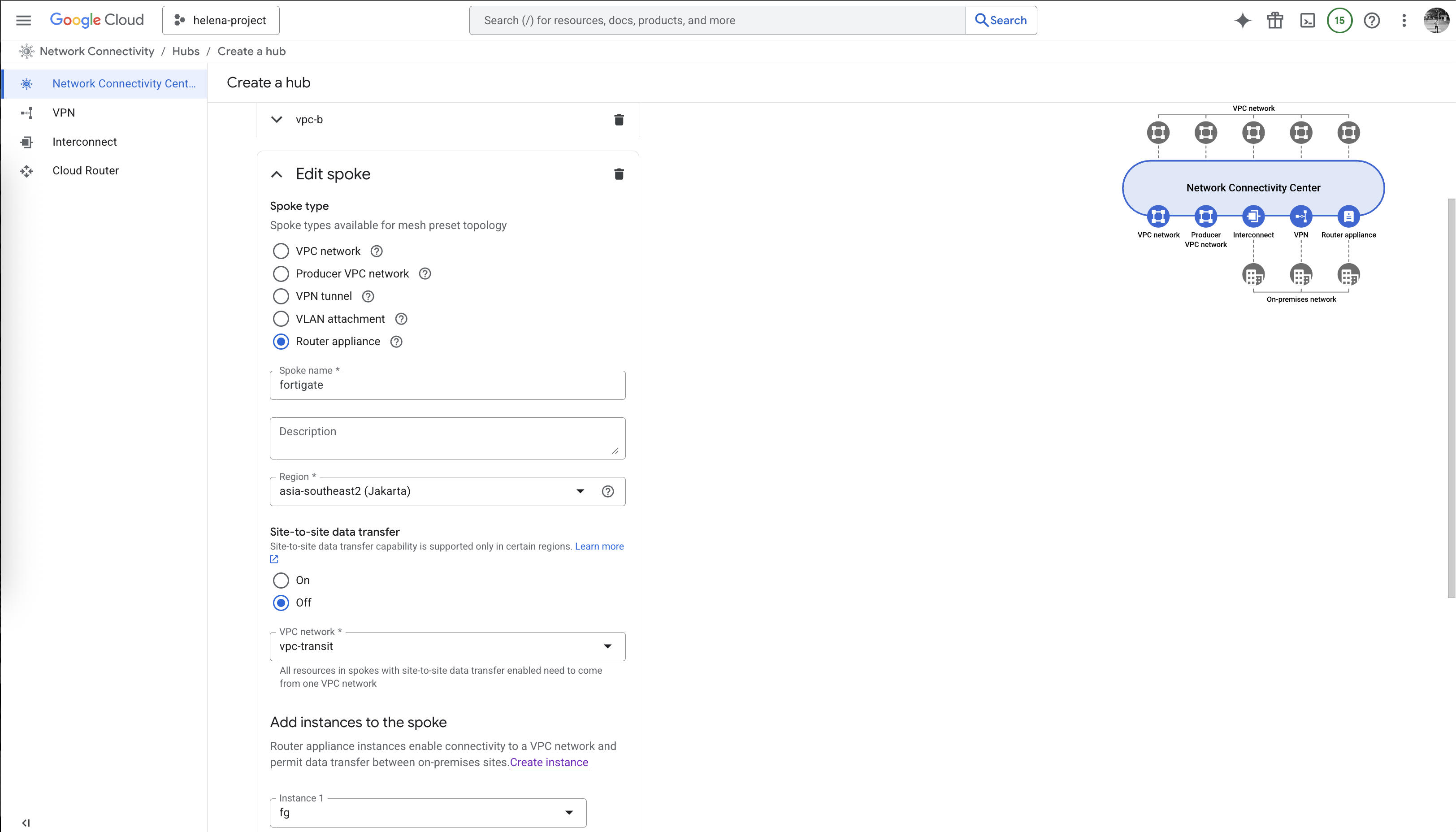
Here we have all 3 spokes configured, hit create
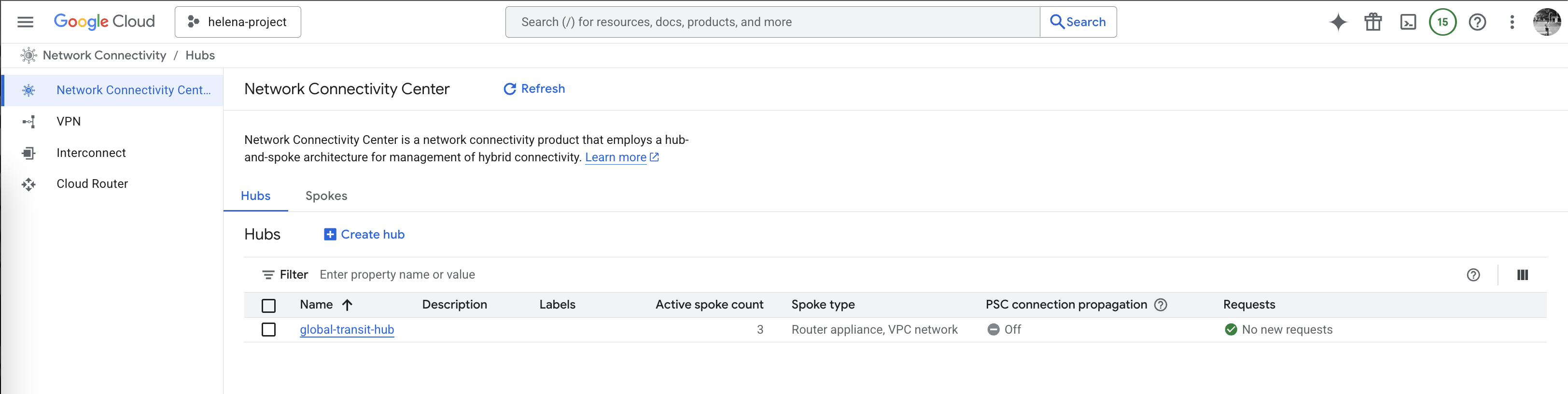
Next on Spokes, open the fortigate spoke
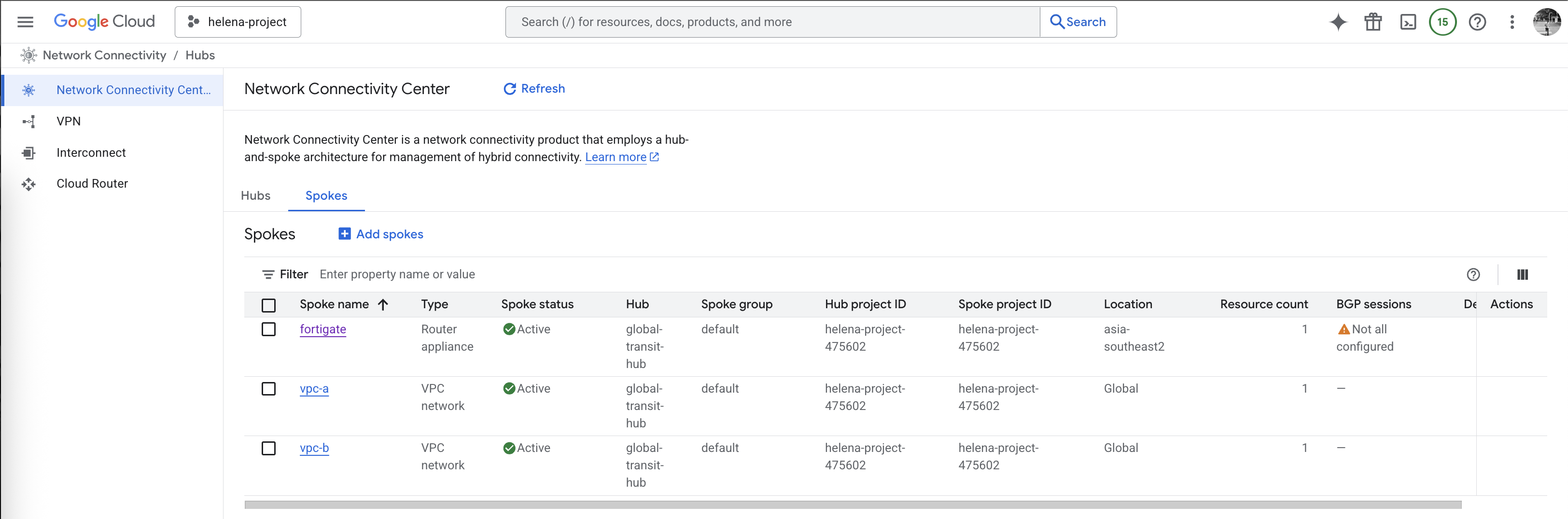
Here we will configure the BGP session with our Cloud Router

Select the transit-router
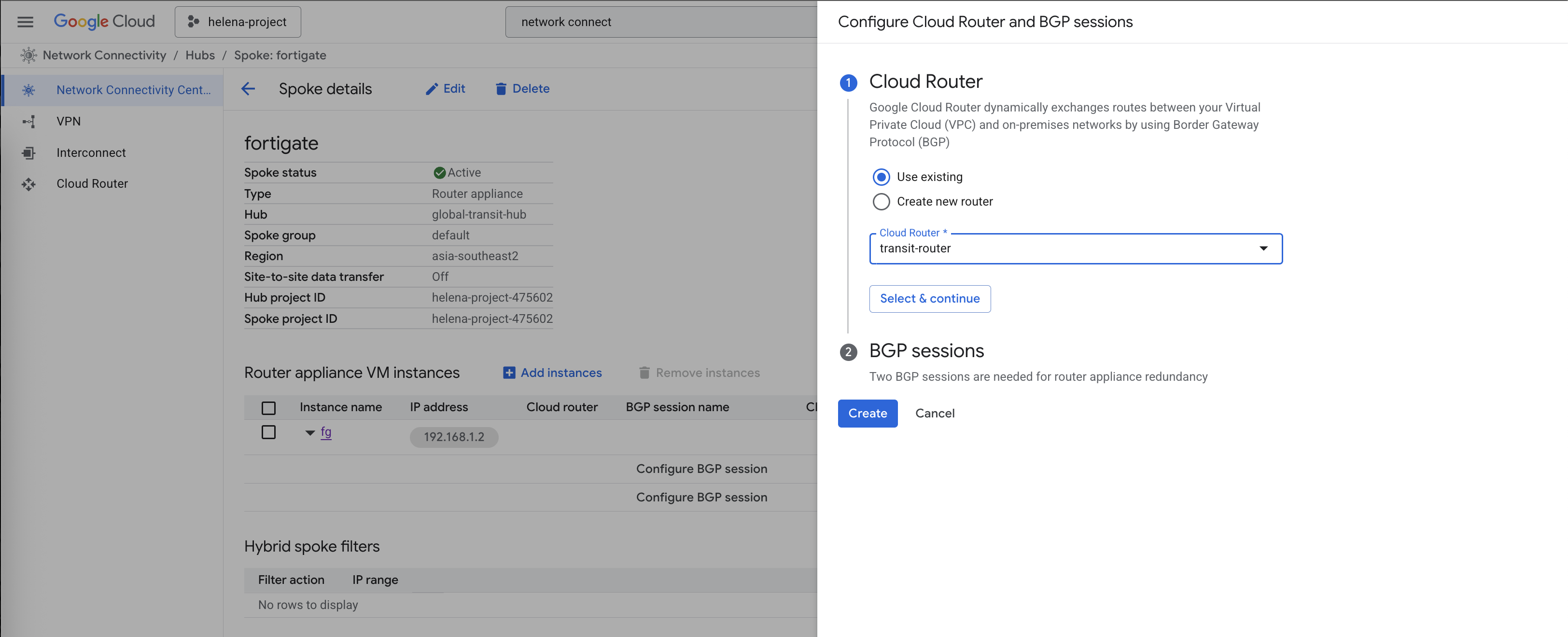
Then configure the BGP session
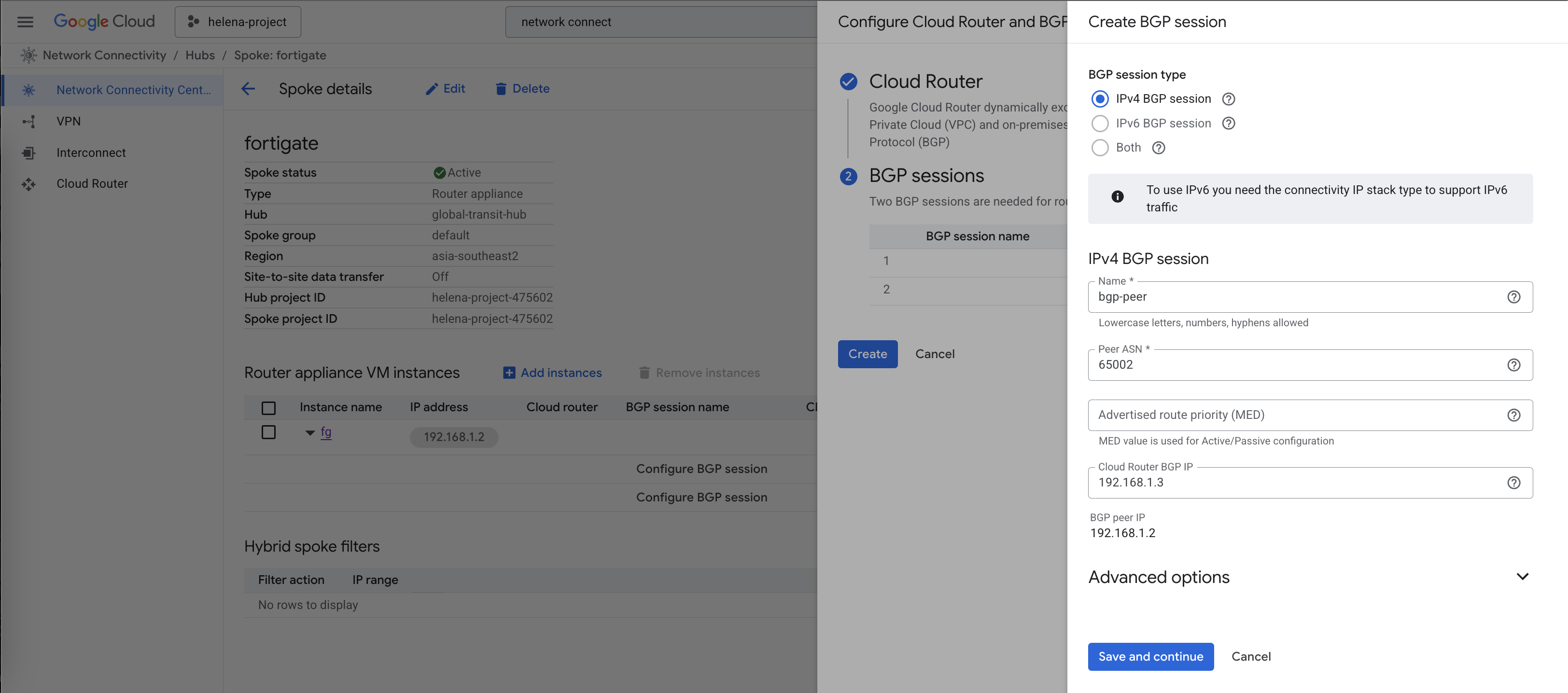
We are mandated to have 2 bgp peers so here we configure 2, even though we will only use 1 for simplicity
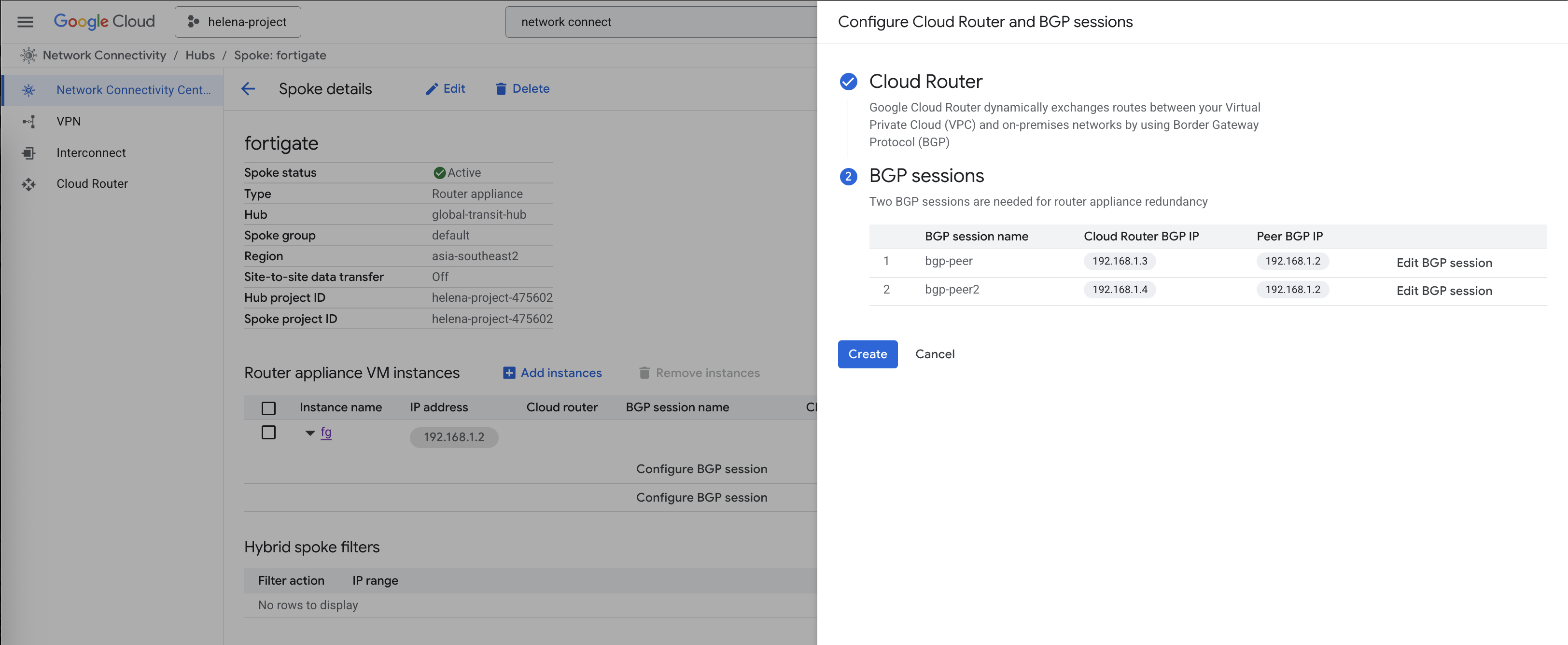
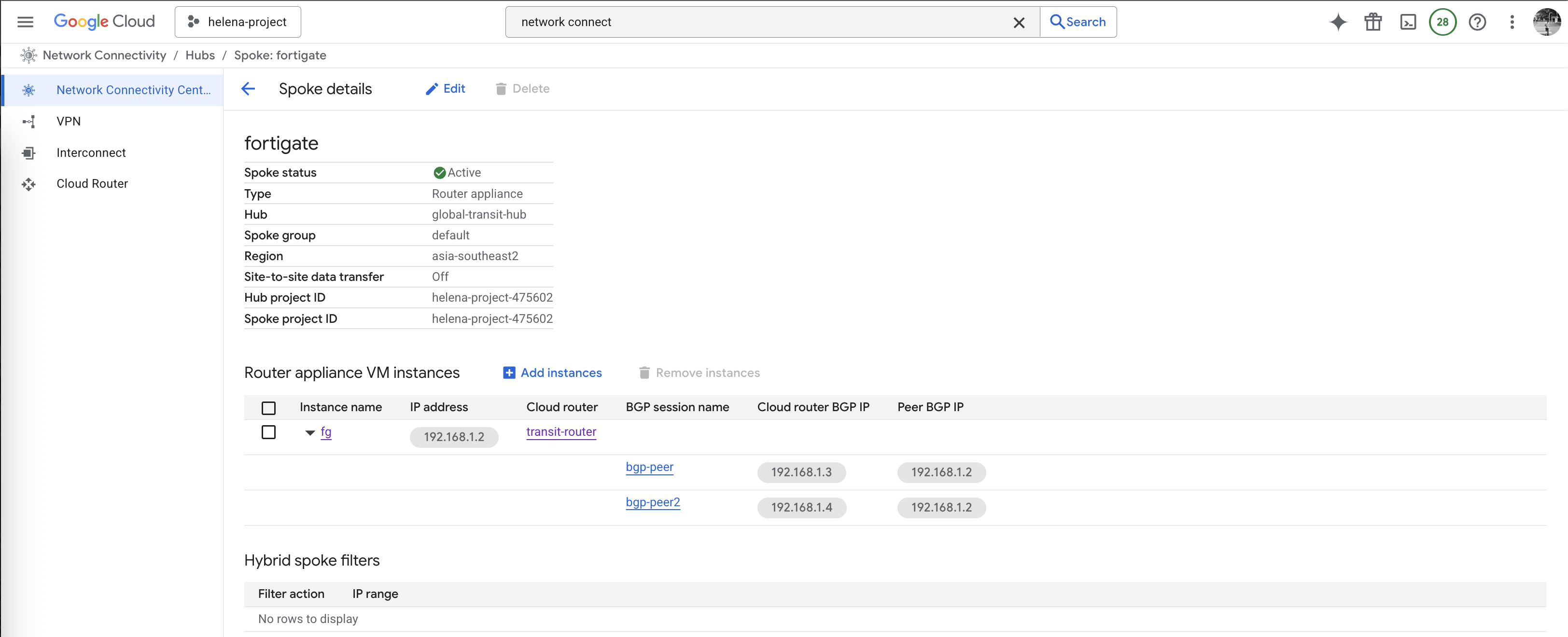
Here after the BGP sessions are all configured
Fortigate
On Fortigate we will also configure the BGP session
1
2
3
4
5
6
7
8
9
10
11
config router bgp
    set as 65002
    set router-id 192.168.1.2
    config neighbor
        edit "192.168.1.3"
            set remote-as 65001
            set ebgp-enforce-multihop enable
            set soft-reconfiguration enable
        next
    end
end
And now the BGP session has been established, we can see Fortigate is advertising and receiving the correct subnets from the Cloud Router

Back on Cloud Router, we can also see the BGP peer is now up
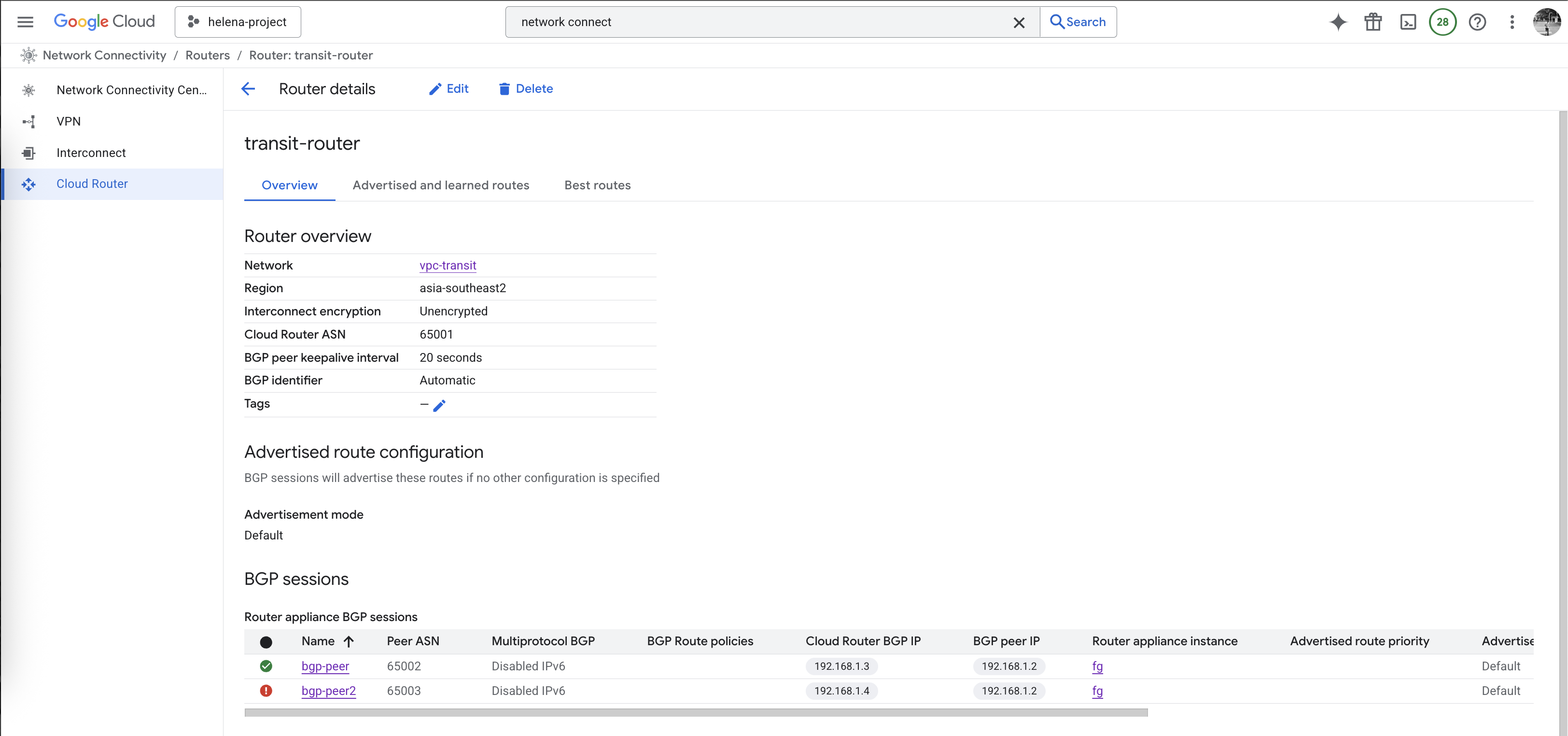
And it’s also advertising and receiving the correct subnets from Fortigate
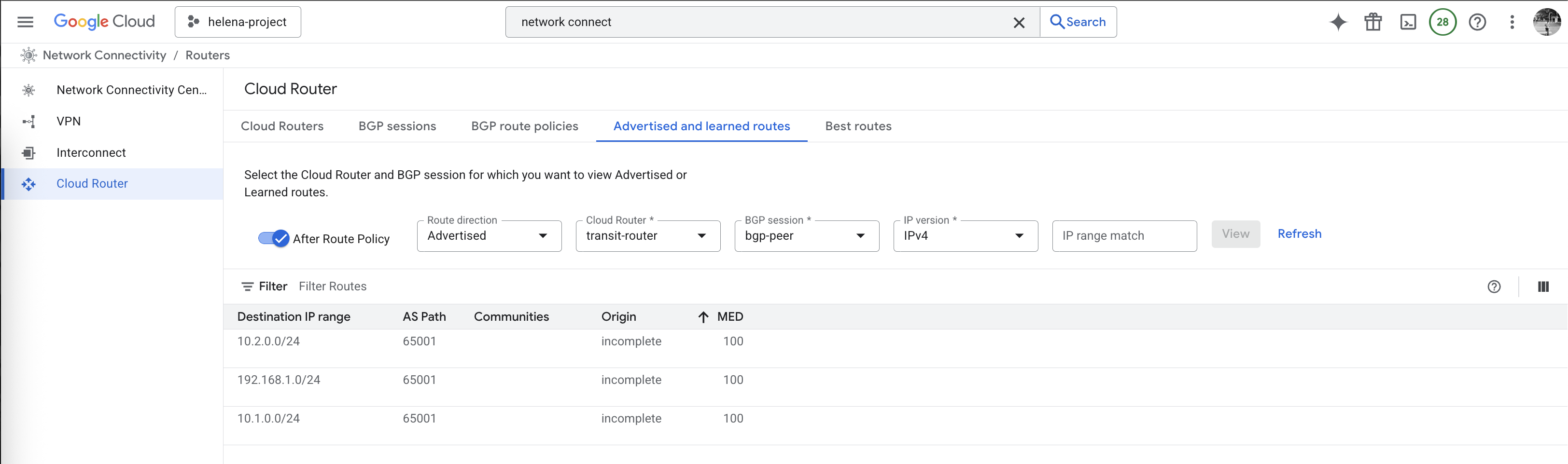
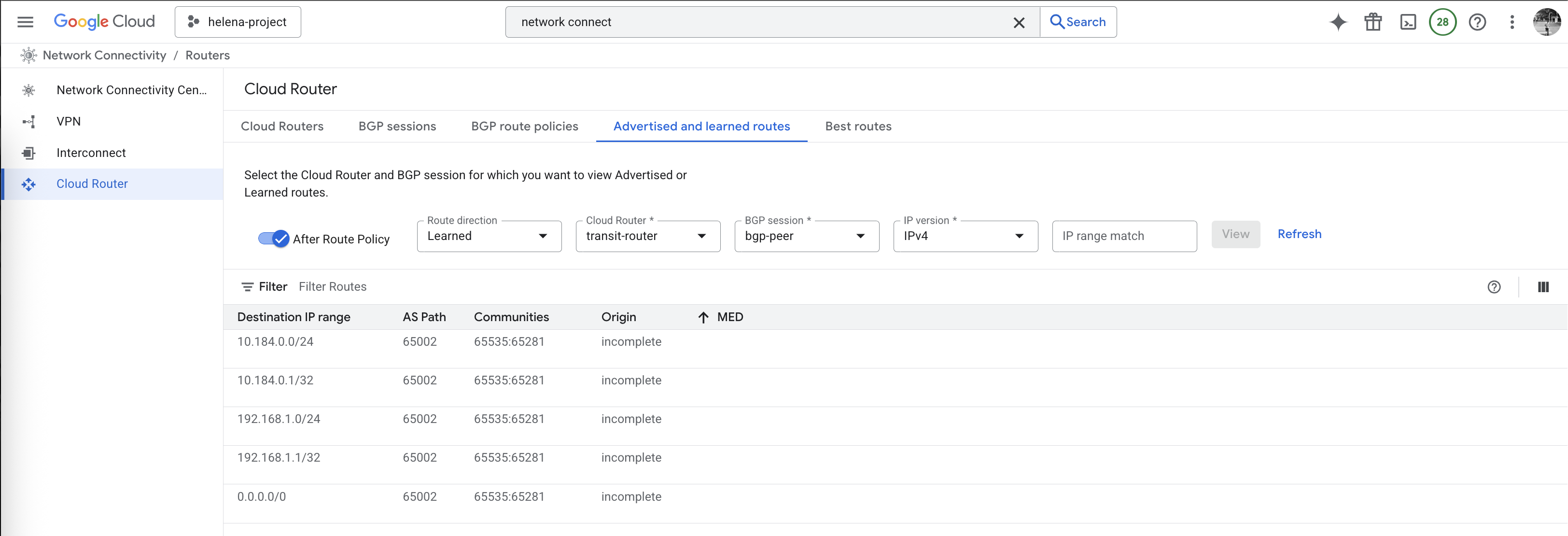
And on the Hub side should also show the correct routing
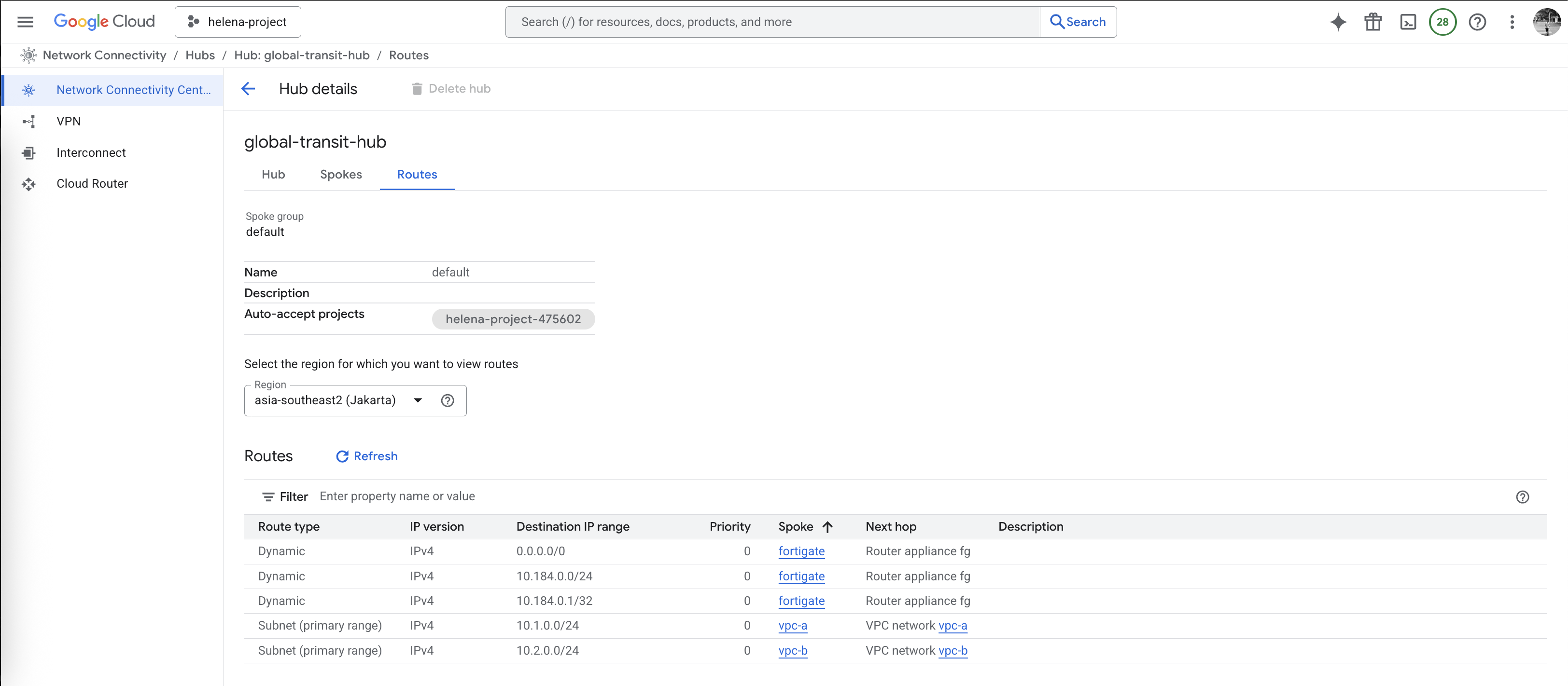
Testing Mesh Hub
Now we spin up small vm on each vpc-a & vpc-b
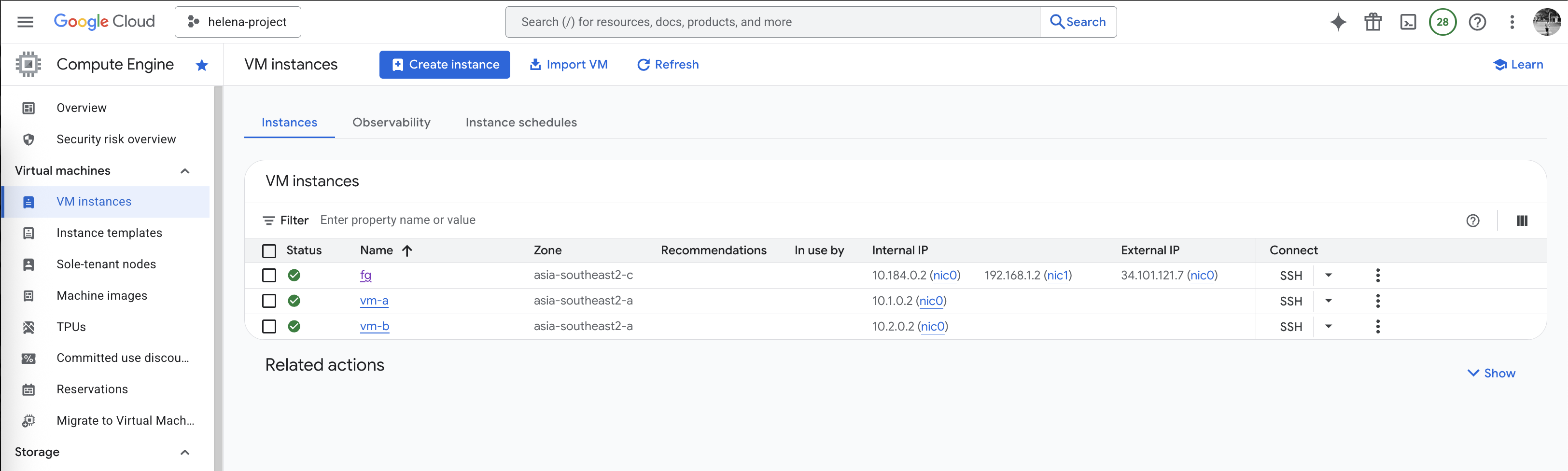
On vm-a, we can ping the vm-b successfully and we can also access the internet
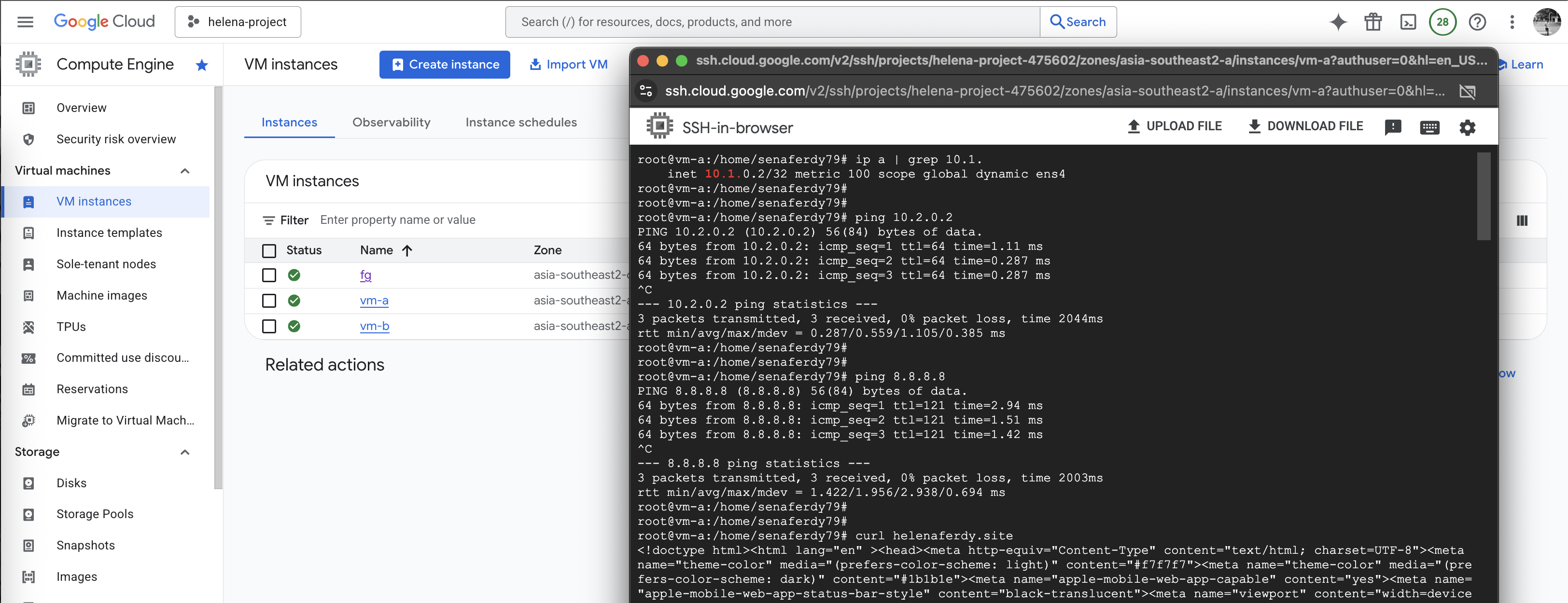
Same goes from vm-b, connectivity to vm-a and to internet is also working

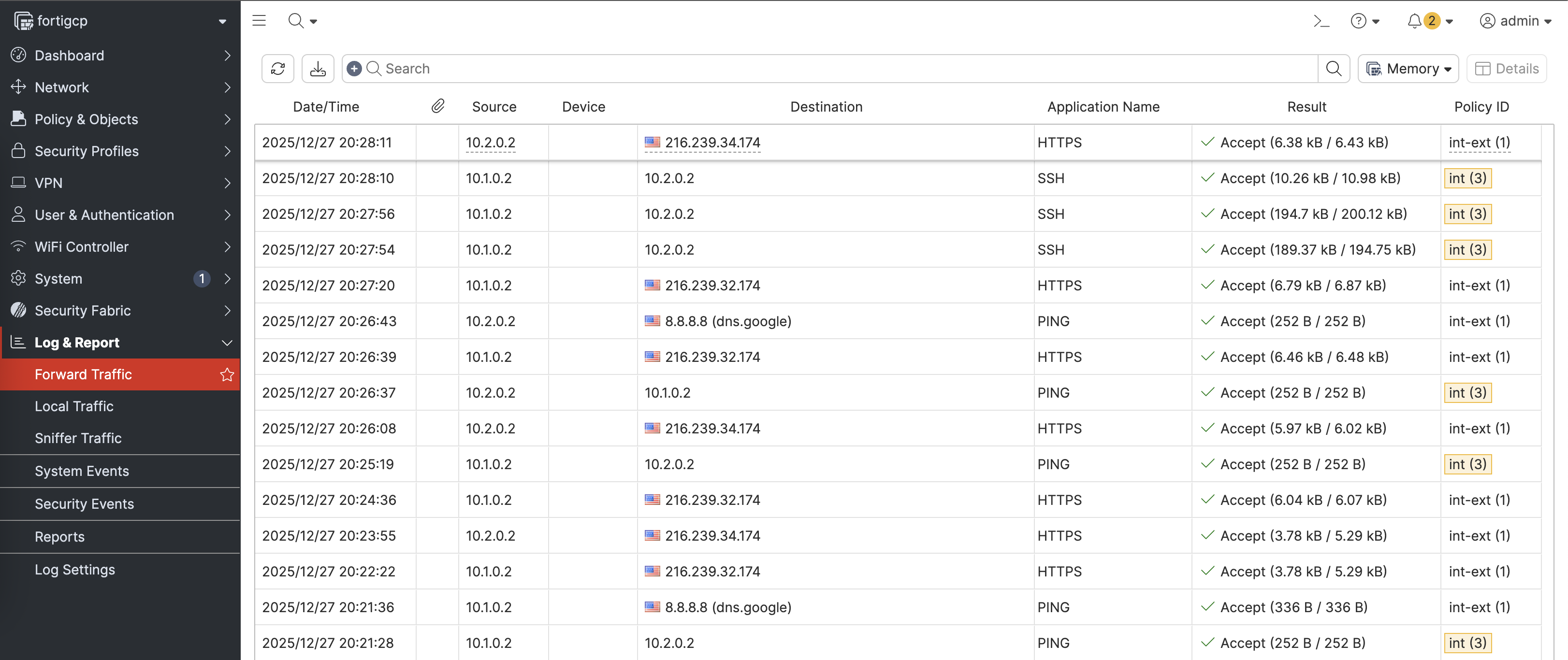
On Fortigate, we can see the traffic coming in from vm-a & vm-b going out to the internet

NCC Hub Star
Next we will configure Hub with Star Topology, Star enforces network segmentation between ‘center’ and ‘edge’ spokes, allowing us to restrict routes that’s received by edge spokes, thus we can enforce traffic between spokes to go to through our transit firewall. To do that first we will delete the current Mesh Hub
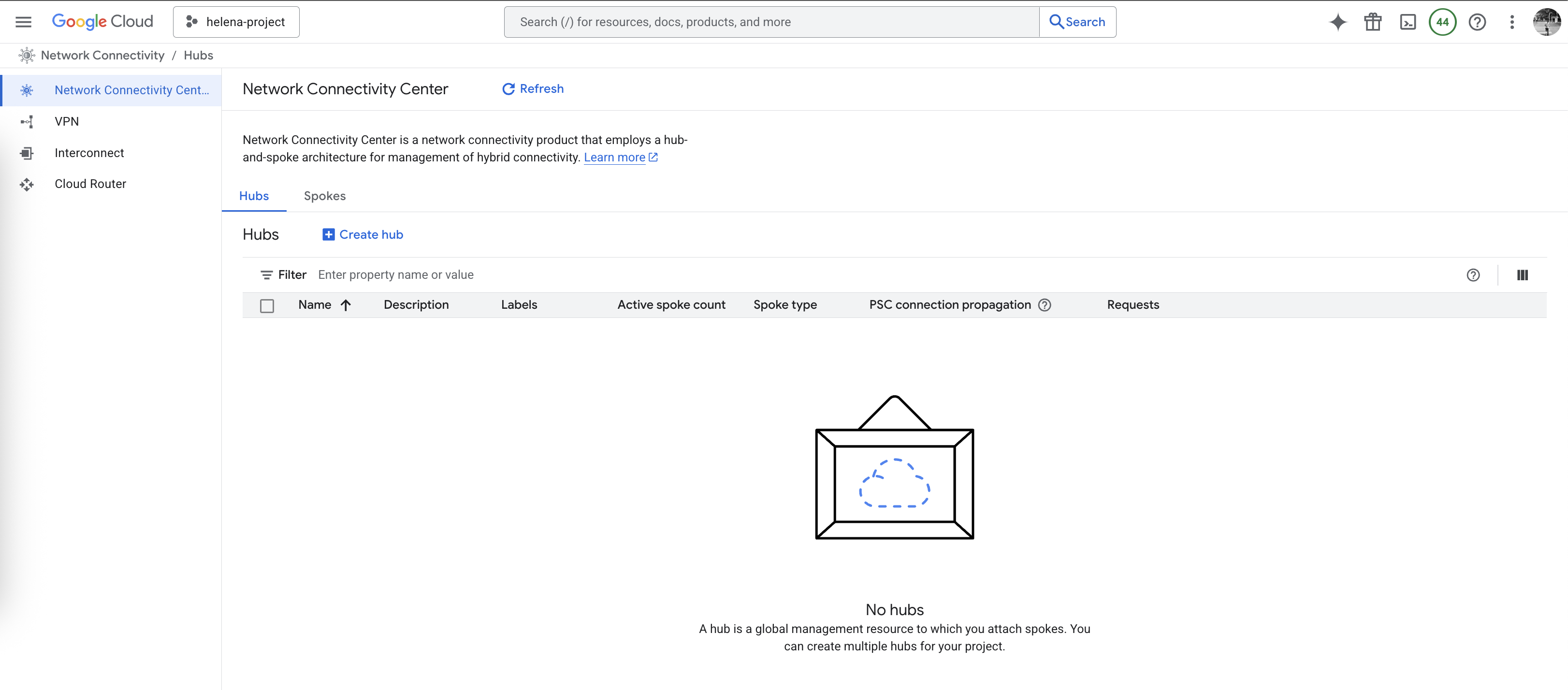
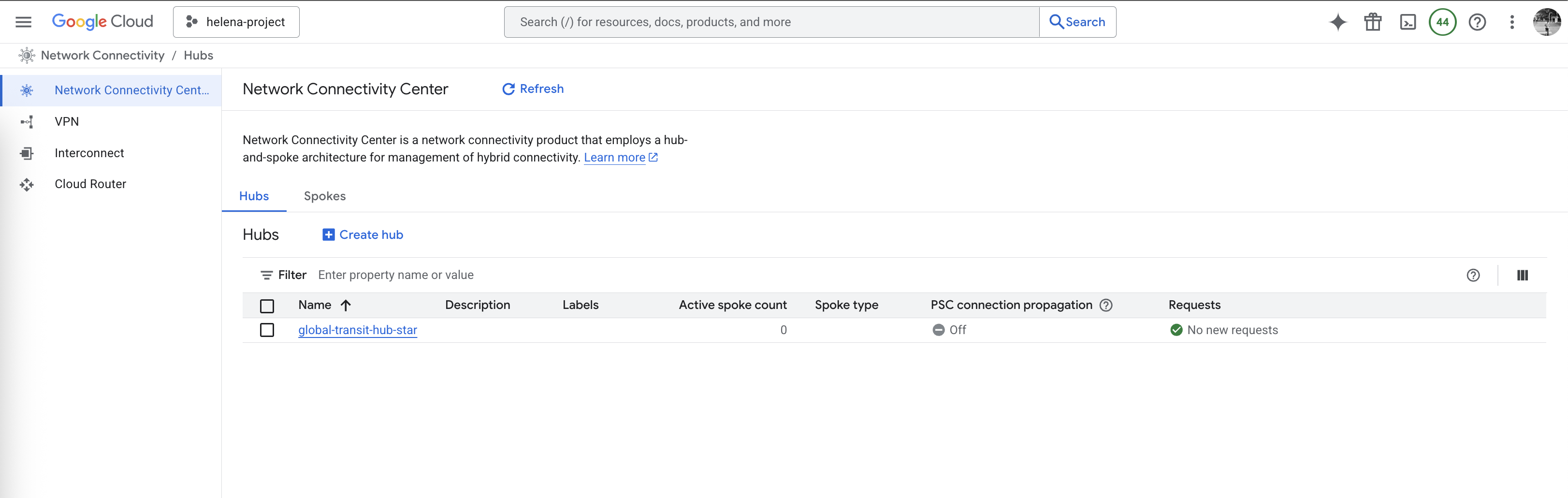
Then we create a new Star Hub

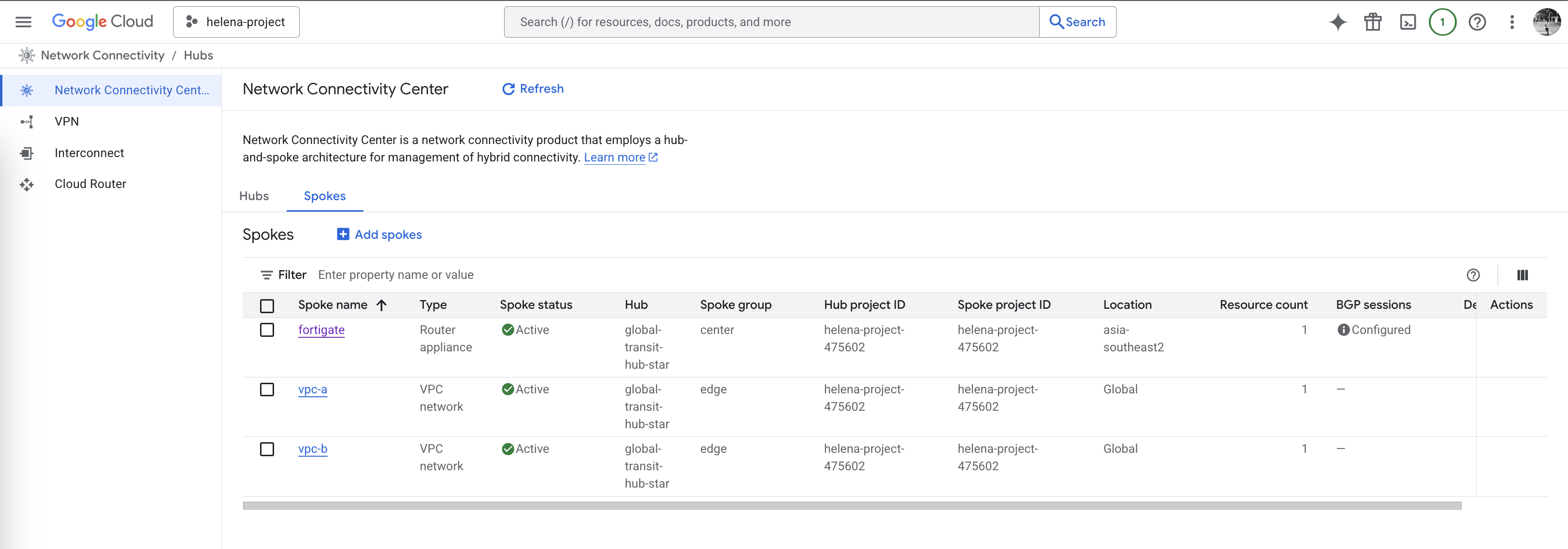
We add the spokes like before, but now with specialized groups where vpc-a & vpc-b falls into edge group whereas fortigate sits in center
Other configuration for BGP and Routings remain the same, but the difference is now we have 2 routing groups, the first one is edge group where all it sees is routing from fortigate
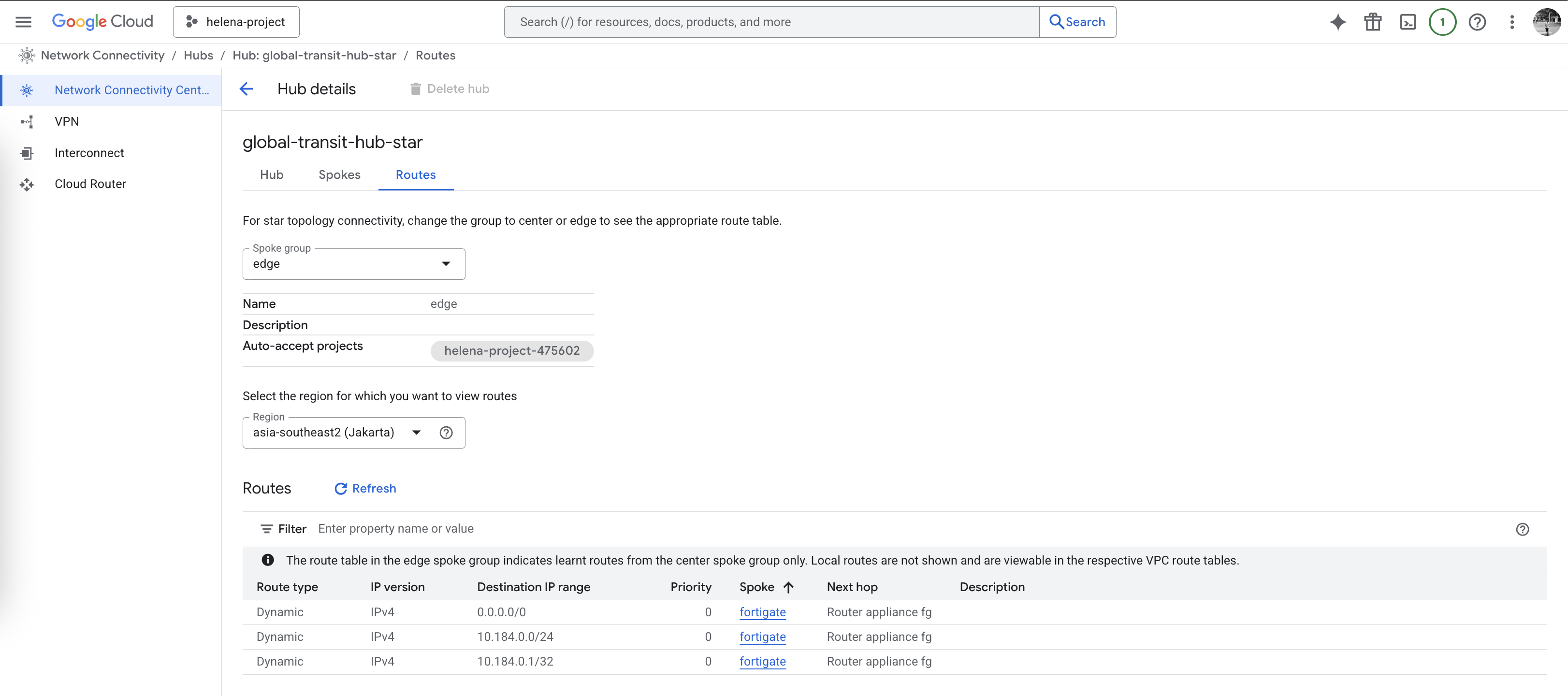
Second one is center group where this group sees all routing like usual. This configuration forces all traffic from edge spoke to go to our transit firewall

From our firewall prespective, we can still see the routing back to the edge spokes
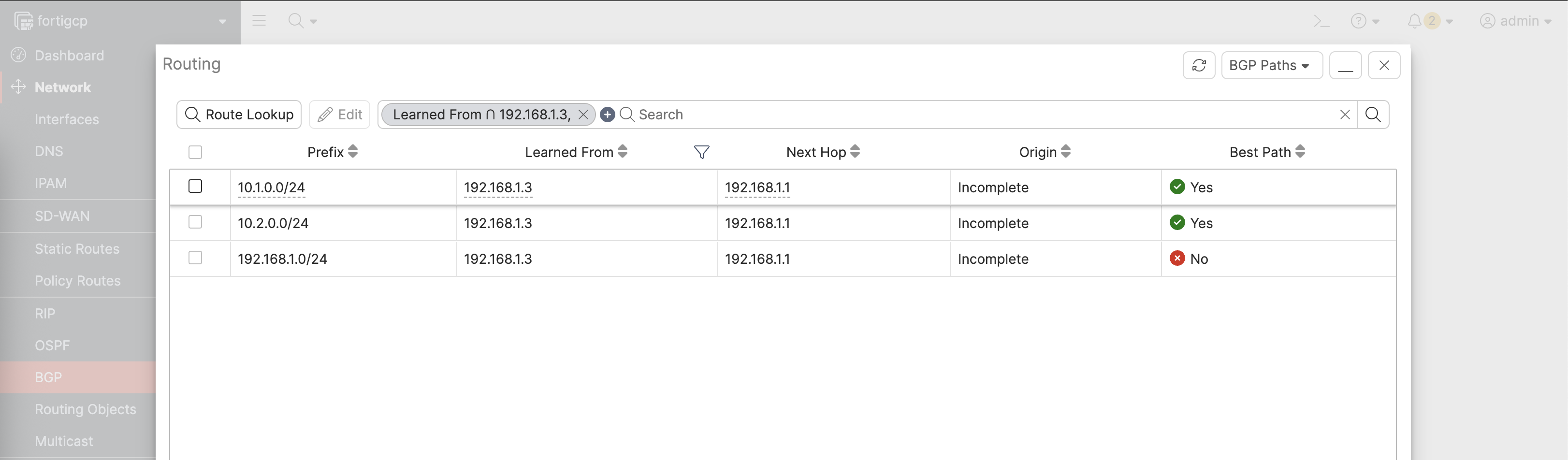
Testing Star Hub
Testing from vm-a, we can still ping and ssh to our vm-b
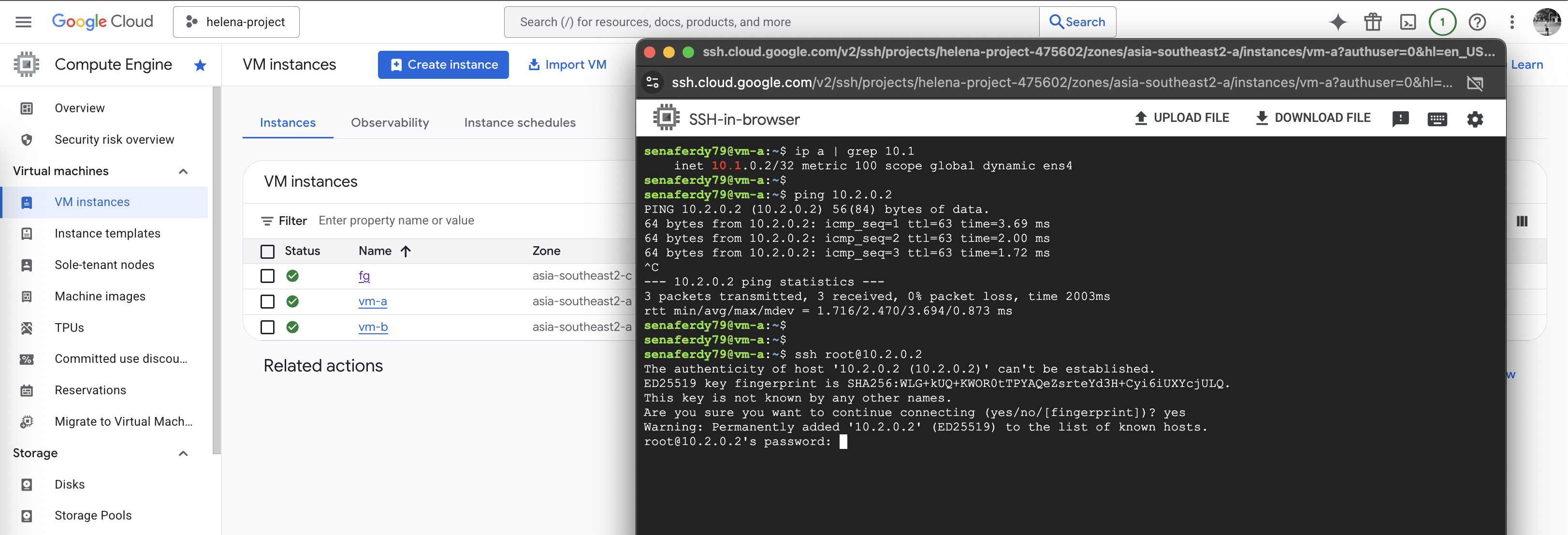
And from vm-b, we can also connect to vm-a and to internet just fine
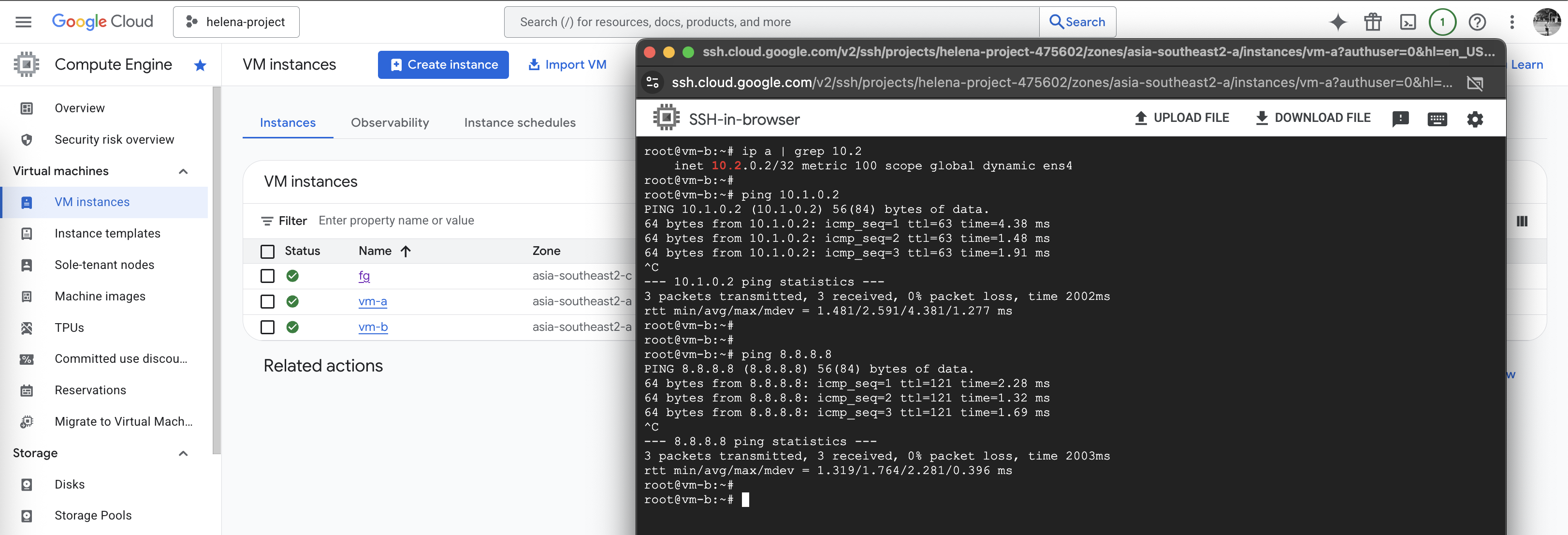
But all traffic now has to go through our fortigate firewall, including traffic between edge spokes